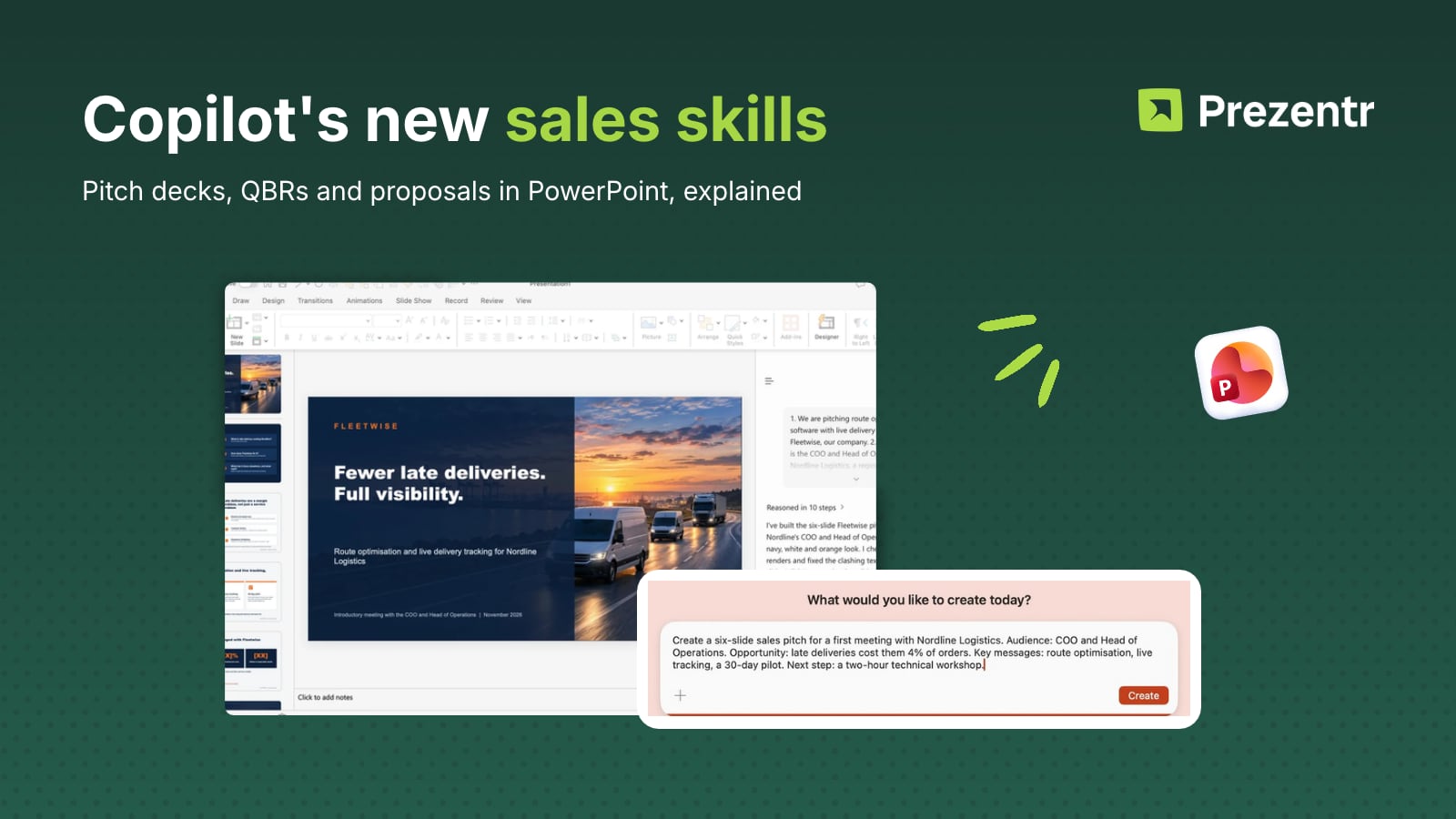
Quick answer: Microsoft is rolling out a set of scenario-specific Copilot skills for sales decks in PowerPoint on Windows, Mac and the web. The headline one, Create sales pitches, shapes a customer-facing pitch around the audience, the opportunity, the key messages, supporting evidence and a recommended next step. Four companion skills followed on 28 October 2026: a customer review (QBR) deck, an internal sales review for leadership, a sales pipeline review and a proposal response for RFPs. All five need Copilot in PowerPoint, and Microsoft now expects the rollout to finish in late November 2026, a month later than first announced. They build structure, not design: the output still looks like a Copilot deck, so a pitch deck template remains the fastest way to make it look like yours.
What the "Create sales pitches" skill does
Microsoft announced the skill in the Microsoft 365 Message Center on 22 October 2026 as MC1521609, Create sales pitches with Copilot in PowerPoint. The notice is short, and here is what it actually says.
The skill is for customer-facing decks: a first meeting, a warm-lead introduction, an industry-specific pitch or internal sales enablement material. Instead of a blank "make me a presentation" prompt, it asks Copilot to build the commercial story in a fixed order: who the audience is, what the opportunity is, the key messages, the evidence that backs them up, and the next step you want the customer to agree to. Microsoft's own wording is that it helps users create "more structured sales pitch presentation drafts".
Three things worth noting from the notice itself:
- Platforms: PowerPoint for Windows, Mac and the web, all three at once. Earlier skills usually shipped per platform in separate notices.
- Timeline: general availability worldwide started in late October 2026. On 3 November Microsoft moved the completion date to late November 2026 (previously late October) and revised the body text again on 6 November. If you cannot see the skill yet, that is why.
- Admin side: no action required and no per-skill switch. Microsoft only suggests telling sales teams it is coming.
This is a drafting skill, not a data skill. The notice does not say it pulls from your CRM or Dynamics 365. It works from what you tell it and what Copilot can already reach in your Microsoft 365 files.
How to run it, step by step (based on Microsoft's notice)
We have not run the Create sales pitches skill itself yet, so the steps below follow the Message Center notice and Microsoft's Edit with Copilot in PowerPoint support page, which explains where PowerPoint keeps its skills. Labels may differ slightly in your build. Further down you can see what happened when we ran Copilot's general create-a-deck flow with the same kind of brief.
- Open a deck and open Copilot. Start from a new file or, better, from the template you want the pitch to live in (see the last section). Select the Copilot icon in PowerPoint to open the Copilot Chat pane.
- Find the Skills menu. Microsoft's support page says the built-in skills (Review this presentation, Visualize this slide, Prepare for Questions) live in a Skills menu inside Copilot Chat. Look for Create sales pitches there. If it is not listed, your tenant has not received it yet.
- Give it the five inputs. Write them in one message: the audience (who is in the room and what they care about), the opportunity (the problem you solve for them), two or three key messages, the evidence (case studies, numbers, references you are allowed to use) and the next step you want them to agree to. Reference the files that hold your proof points so Copilot can cite real material.
- Review the outline before the slides. Copilot's skills generate a draft you review and apply rather than silently rewriting the deck. Check the order of the story and the claims before you accept anything.
- Check every fact. Customer names, prices, case study numbers and performance figures in the draft must be verified against your own sources. It matters most in a pitch a customer will read closely.
What happened when we tried it on a Mac
As a first hands-on check we ran Copilot's general create-a-deck flow in PowerPoint for Mac, on 12 and 13 November 2026, with a brief written in the skill's five-part order.
We picked the wrong day. Our test ran during a major Microsoft 365 outage that started on 12 November 2026 and lasted into 13 November. Microsoft's incident MO1550821 listed Microsoft 365 Copilot among the affected services, next to Exchange Online, Teams and SharePoint, and Microsoft put it down to a network change, not to AI (BleepingComputer, Windows Latest). That is very likely why the first run took over an hour and lost the brief. Read the timings below with that in mind; we will run it again on a normal day and update this post.
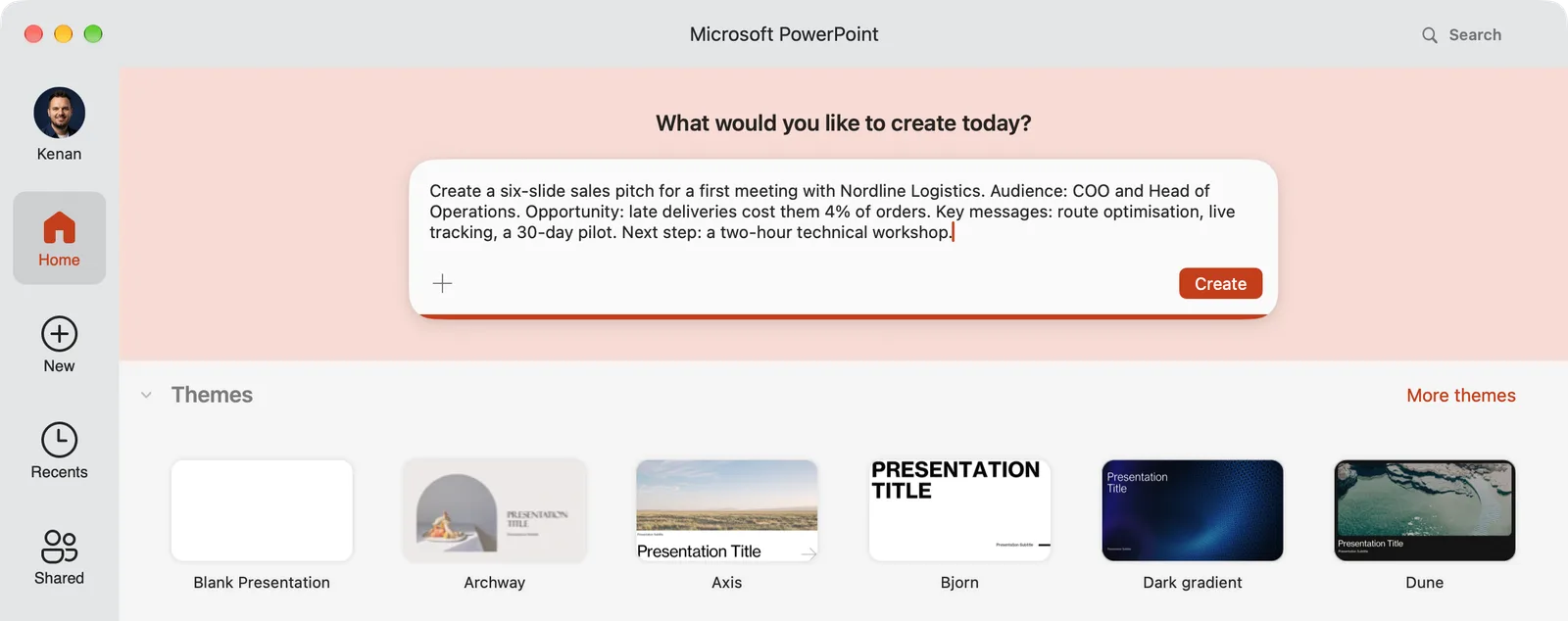
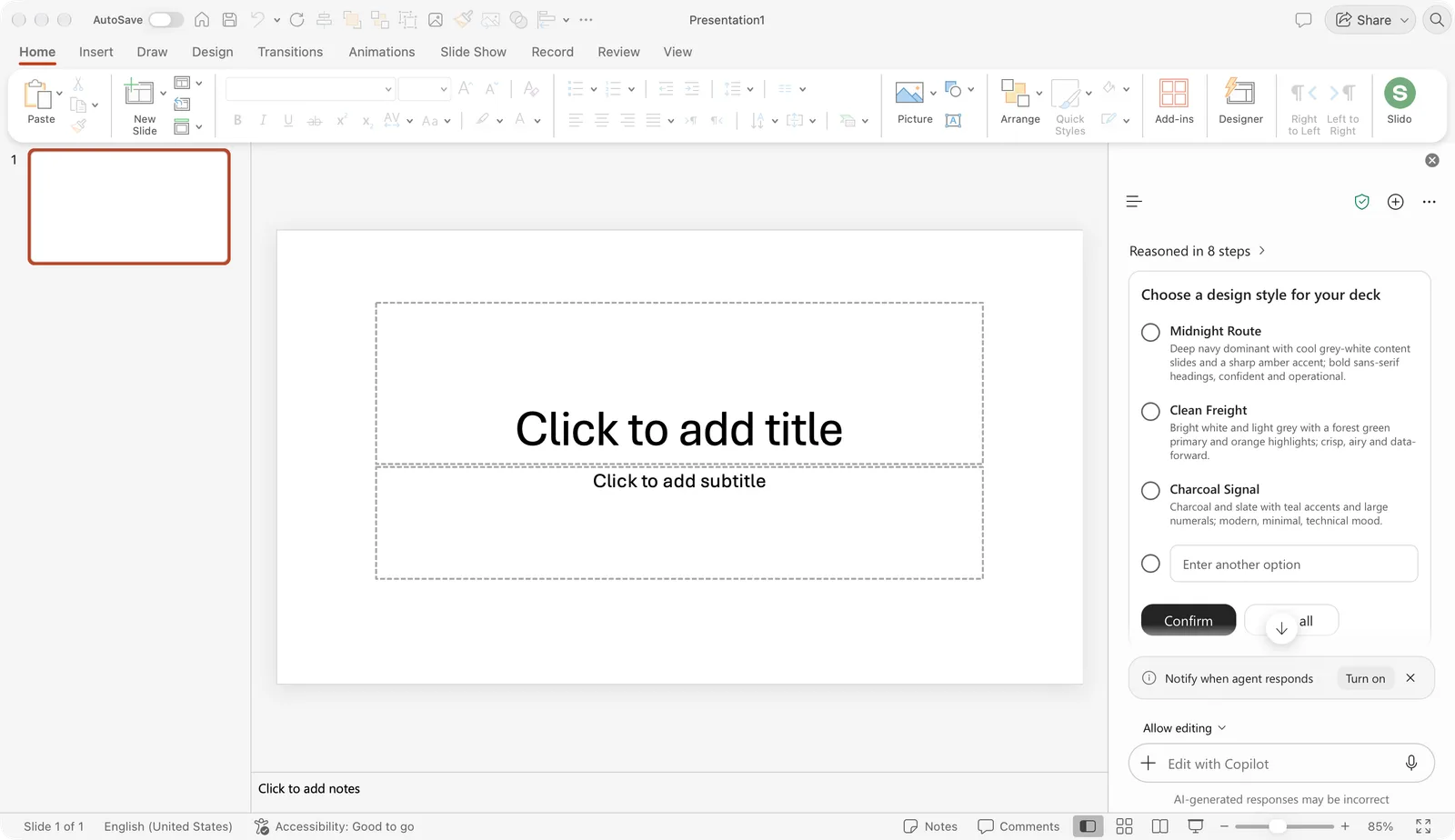
The design question is a nice touch: three named styles (Midnight Route, Clean Freight, Charcoal Signal), each with a short description of colours and type. After we picked Clean Freight, Copilot went back to its progress list (Mapping it out, Exploring approaches, Weighing the options) and kept working. Along the way it asked three more questions, which we skipped. More than an hour after we started, the canvas still showed one empty title slide, and Copilot's reply began: "I can't tell what the pitch is about yet." It had lost the brief we typed on the start screen.
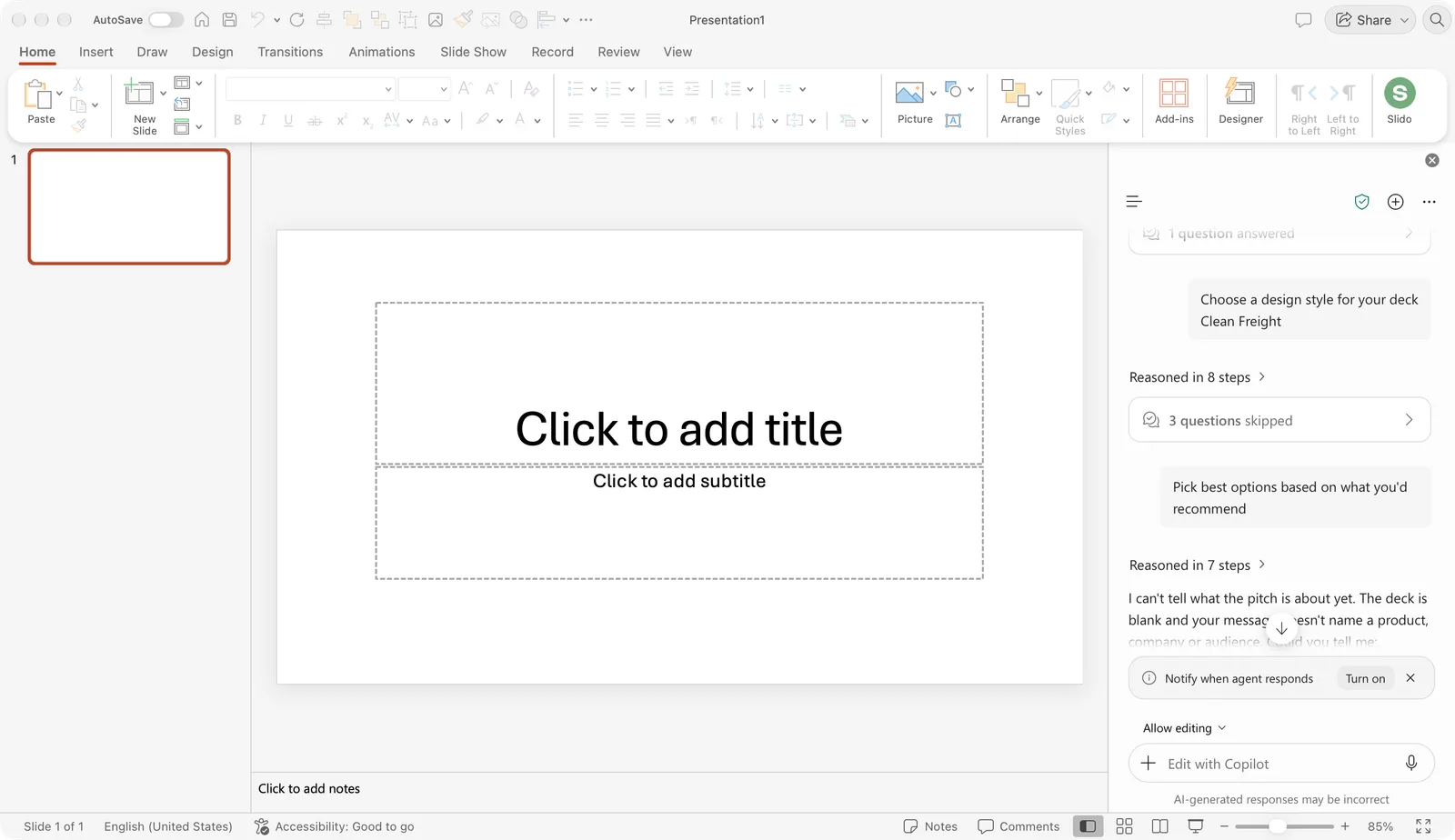
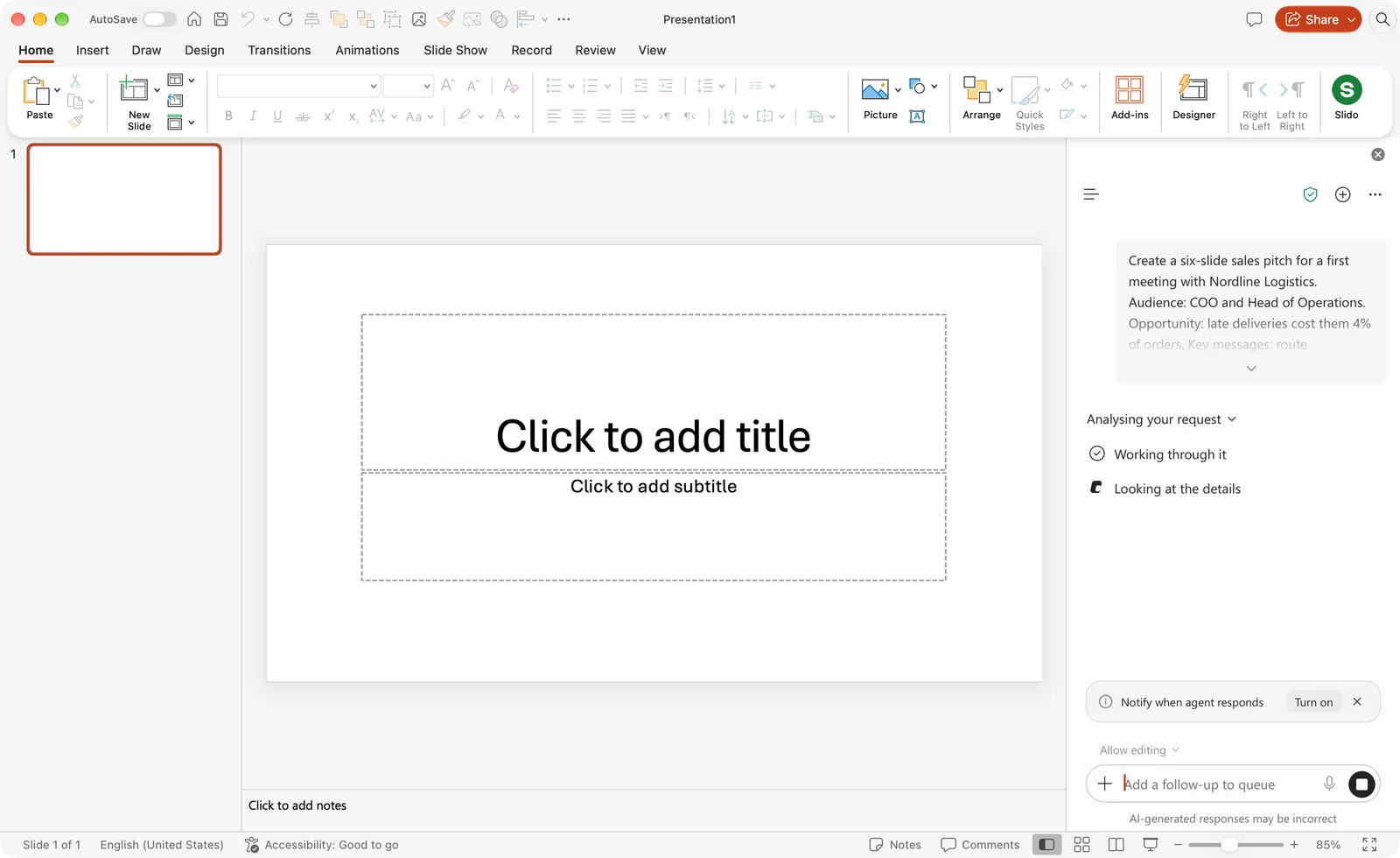
So we answered its three questions in the Copilot pane with the same brief, split the way it asked: what we pitch (route optimisation and live tracking from a made-up company, Fleetwise), who the audience is (the COO and Head of Operations at Nordline Logistics, a warm lead) and what to include (the 4% of late orders, the three messages, a Baltic Freight case study with placeholder numbers, the workshop as the call to action).
That worked. About 14 minutes later Copilot had built six slides in the navy, white and orange look it had proposed, and told us what it checked: it had fixed clashing text on the 4% slide but had not re-rendered that slide after its last change.
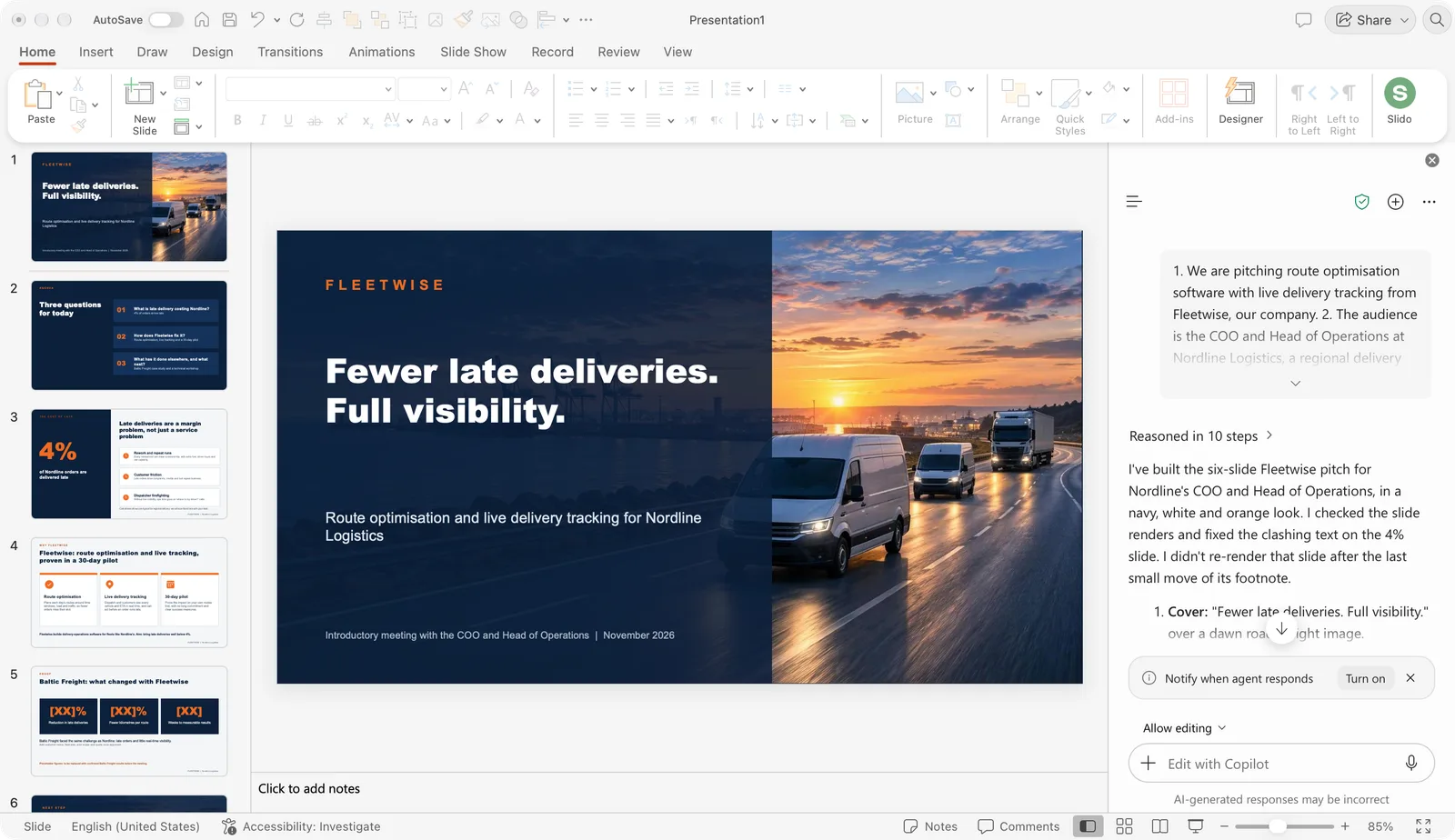
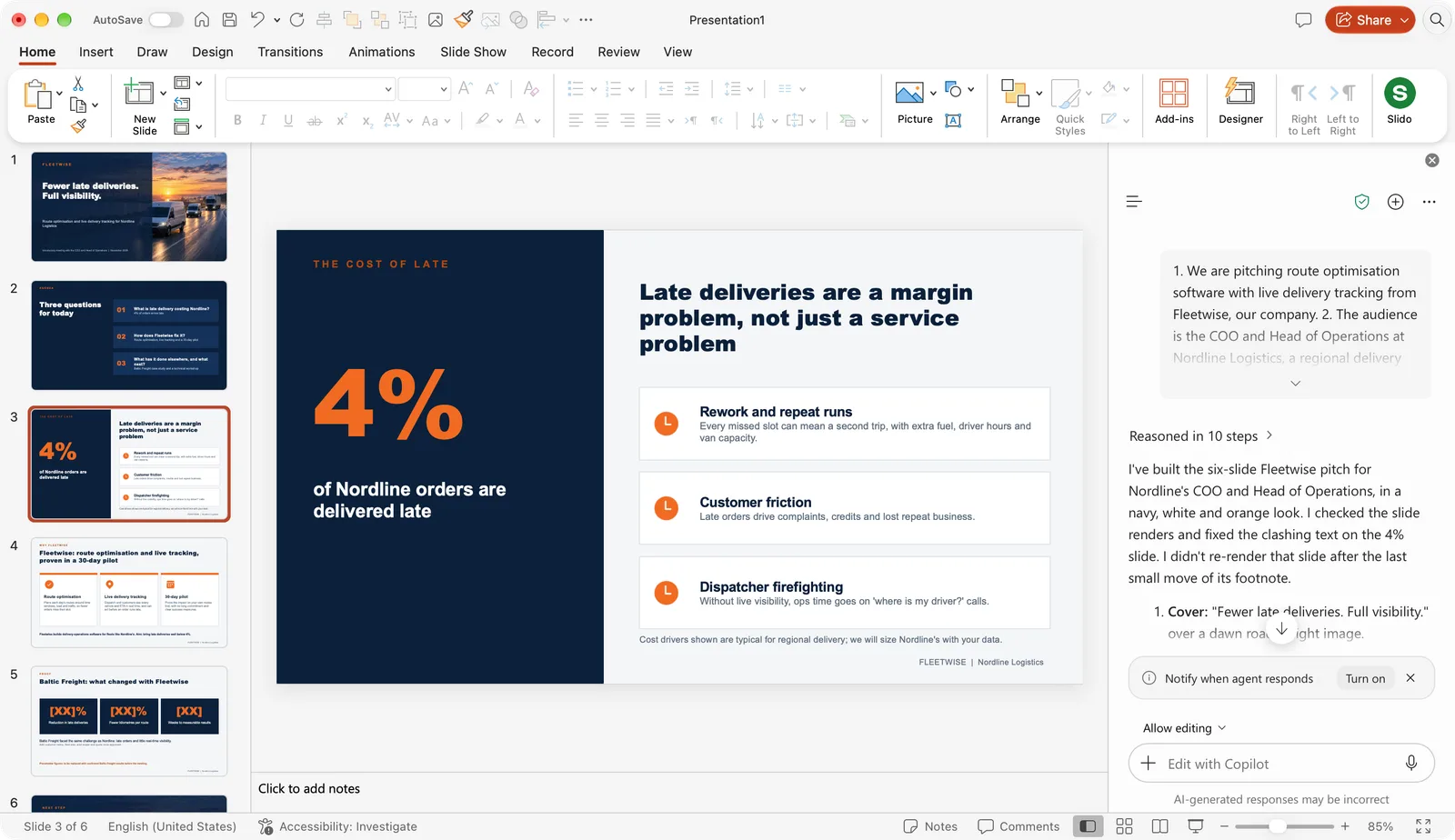
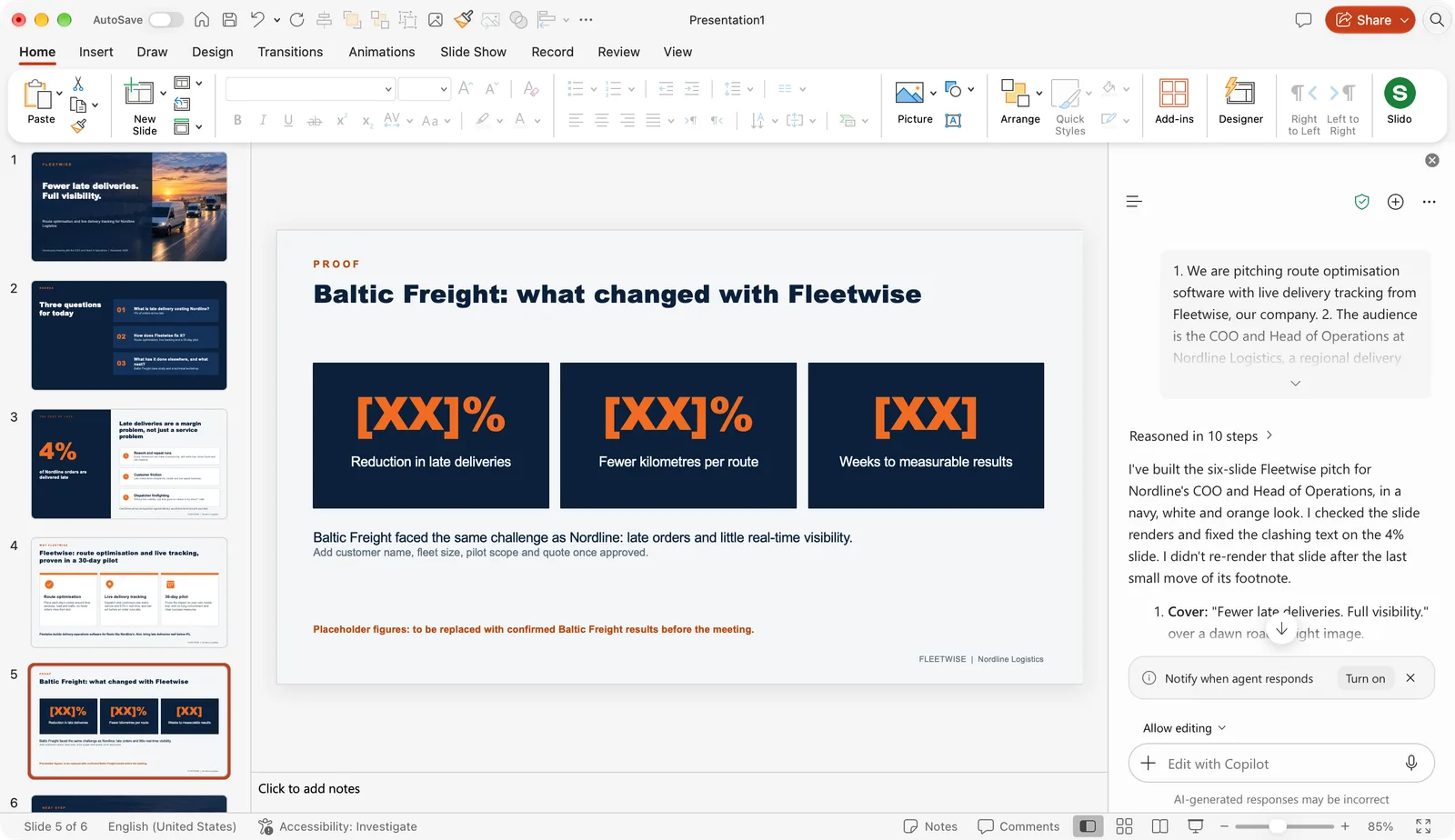
Our verdict on this one run: the structure and the first draft are good, and Copilot respected the "use placeholders" instruction instead of inventing case study numbers, which matters most in a pitch. The flow is the weak part. The brief typed on the start screen got lost, the first attempt sat for more than an hour, and the second took about 14 minutes. Start it well before the meeting, answer its questions instead of skipping them, and check every slide it says it did not re-render. We will run the dedicated Create sales pitches skill the same way once it shows up for us, and add the result here.
A practical tip from our own work on sales decks: write the "next step" first. A pitch that ends with "let us schedule a two-hour technical workshop with your IT lead" lands differently from one that ends with "thank you". Give Copilot that line and the rest of the story has something to aim at.
The other sales skills, in one table
On 28 October 2026 Microsoft published four more notices, one per skill. All four were updated on 3 November with the same change: the completion date moved from early November to late November 2026. One of them was also renamed.
| Skill | What it builds | Who it is for | Platforms | Rollout |
|---|---|---|---|---|
| Create sales pitches (MC1521609) | Customer-facing pitch deck: audience, opportunity, key messages, evidence, next step | Sales and customer-facing teams | Windows, Mac, web | Late October to late November 2026 |
| Prepare customer review deck (MC1529480) | Recurring customer business review (QBR) deck around goals, outcomes, adoption, risks, commitments and priorities | Account managers, customer success | Windows, Mac, web | Late October to late November 2026 |
| Prepare internal sales review (MC1529481, first published as "Summarize sales for leaders") | Senior-leadership summary of sales performance, outlook, risks and decisions | Sales leaders | Windows, Mac, web | Late October to late November 2026 |
| Review sales pipeline (MC1529477) | Internal pipeline and forecast review: opportunity movement, risks, next actions | Sales managers | Windows, Mac, web | Late October to late November 2026 |
| Draft proposal response (MC1529476) | Customer-specific proposal or bid deck answering explicit requirements or an RFP, organised around evaluation priorities, solution coverage and proof points | Bid and proposal teams | Windows, Mac, web | Late October to late November 2026 |
Three of the five face the customer (the pitch, the proposal response and the QBR deck) and two are internal (pipeline review and the leadership summary). That split matters for the template question below: the internal ones can look plain, the external ones cannot.
For context, these sit on top of the general-purpose skills PowerPoint already had: Review this presentation, Prepare for Questions, Visualize this slide, Clarify my thinking (from 8 October 2026, it quizzes you on your own deck before you present) and Record a Skill, which saves your own PowerPoint actions as a reusable custom skill. The sales skills are the first batch aimed at one job function rather than at everyone.
Who gets these skills
Every one of the five notices says the same thing about eligibility: "users with access to Copilot in PowerPoint". None names a plan. The earlier Clarify my thinking notice is more explicit, stating that existing Microsoft 365 Copilot admin controls and licensing requirements continue to apply, so the safe reading is:
- Work or school account with a Microsoft 365 Copilot licence: yes, this is who the notices are written for. The skills arrive on their own during the rollout window.
- Microsoft 365 Personal, Family or Premium: unconfirmed. Those plans include Copilot in the Office apps with monthly AI credits for the subscription owner (Microsoft's AI credits page has the tiers), but the Message Center is a business admin channel and none of the sales notices mention consumer plans. Do not count on the Skills menu entries there until Microsoft says so.
- Free PowerPoint for the web without Copilot: no.
If you are an admin, there is nothing to switch on or off per skill. Microsoft's compliance note on each message says the skills do not change how customer data is processed or stored and do not add a new AI system of record.
Can it replace your pitch deck template?
This is a reasoned view, not a test result. We make presentation templates, so read it with that in mind.
Structure: yes, mostly. The five-part order in the skill (audience, opportunity, messages, evidence, next step) is the skeleton a good sales deck designer would start from. If your team's pitches open with "About us" and close with a logo wall, the skill will push them in a better direction in a minute. For internal pipeline and leadership reviews, where nobody judges the slide design, the structural draft may be all you need.
Design and brand: no. The skill drafts content into whatever theme the file already has. Copilot's Brand Kit can apply approved fonts and colours for enterprise tenants that have set it up, but that is a theme, not a layout system. A customer-facing pitch needs a title slide that sets a tone, a problem slide that does not look like the solution slide, a proof slide that holds a chart and a quote without either one shrinking, and a closing slide that makes the next step unmissable. That is layout work, and none of the five notices claim the skills do it.
The practical combination: open a pitch deck template first, so the master, fonts and colours are in place, then run the skill inside that file. Copilot fills the structure, the template carries the look. The same applies to ChatGPT Slides, Gemini in Google Slides and Claude: the AI is a strong first drafter and a weak art director.
We will add a real test of the sales skill itself, screenshots included, as soon as we have run it.
A note on Microsoft Ignite
Ignite runs 17 to 20 November 2026 in San Francisco, right in the middle of this rollout window. If Microsoft announces more PowerPoint or Copilot skill news there, we will add an update box at the top of this post rather than rewrite it. Check back after 20 November.
Pitch deck templates to run the skill in
Each of these is a free PowerPoint file with a full set of layouts, so the Copilot draft lands on real slide designs instead of a blank theme:
- Startup Pitch Deck: problem, solution, market, traction, team and ask, the classic first-meeting order.
- Minimalist Business: a short, clean deck for warm-lead introductions where you get ten minutes, not forty.
- Year in Review: for the Review sales pipeline skill, with number and timeline layouts that suit pipeline stages.
- Q4 Business Review: a QBR layout for the Prepare customer review deck skill.
- Social Media Strategy: a proposal structure for the Draft proposal response skill when the pitch is about marketing.
- Microsoft: if the pitch is about Microsoft 365 itself.
Browse the full library of free PowerPoint templates, or the Google Slides versions if the customer lives in Google Workspace. New to PowerPoint, or handing this to someone who is? Our PowerPoint tutorial for beginners covers the editor from the first click to presenting, including where the Copilot pane sits.
