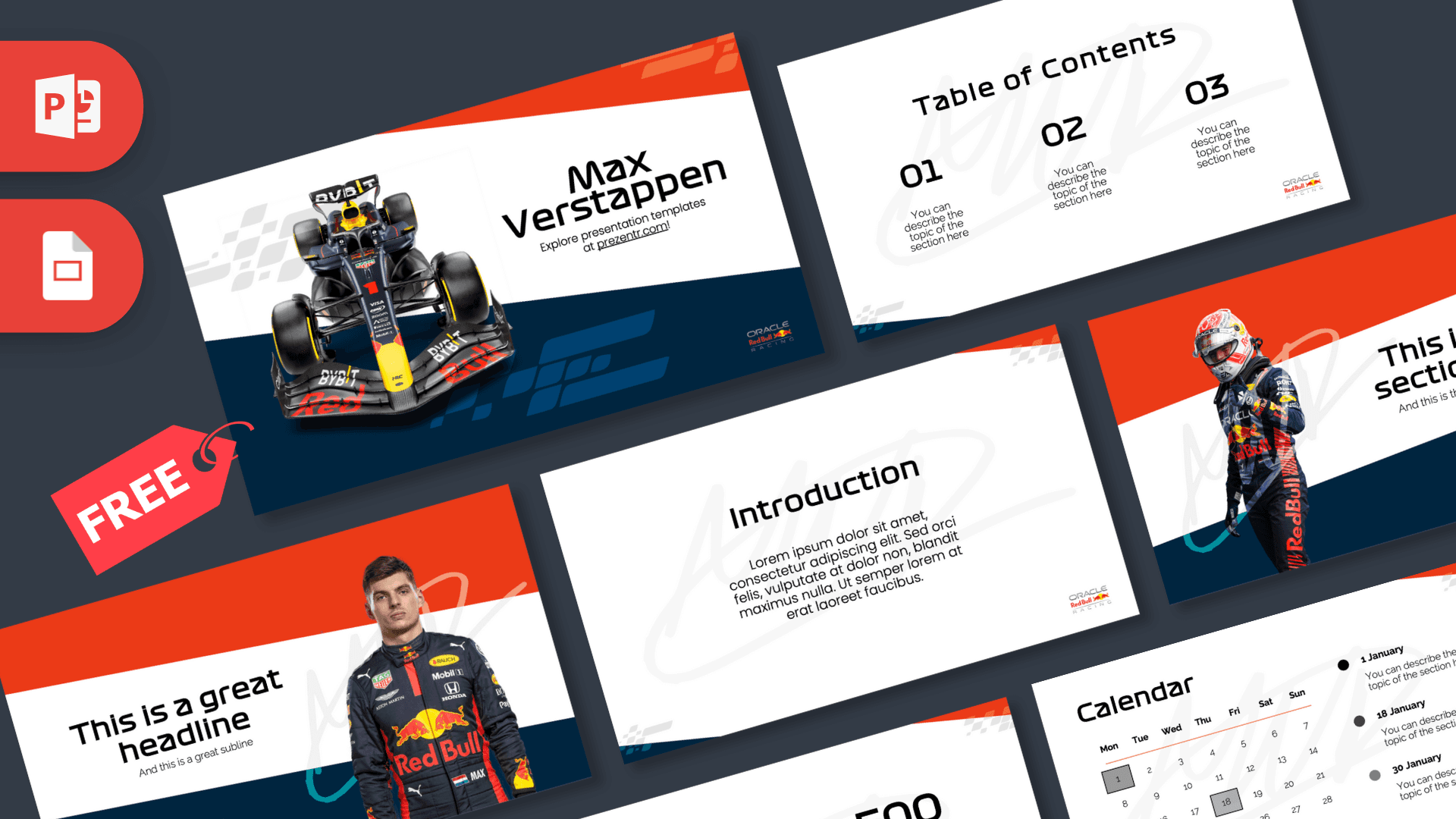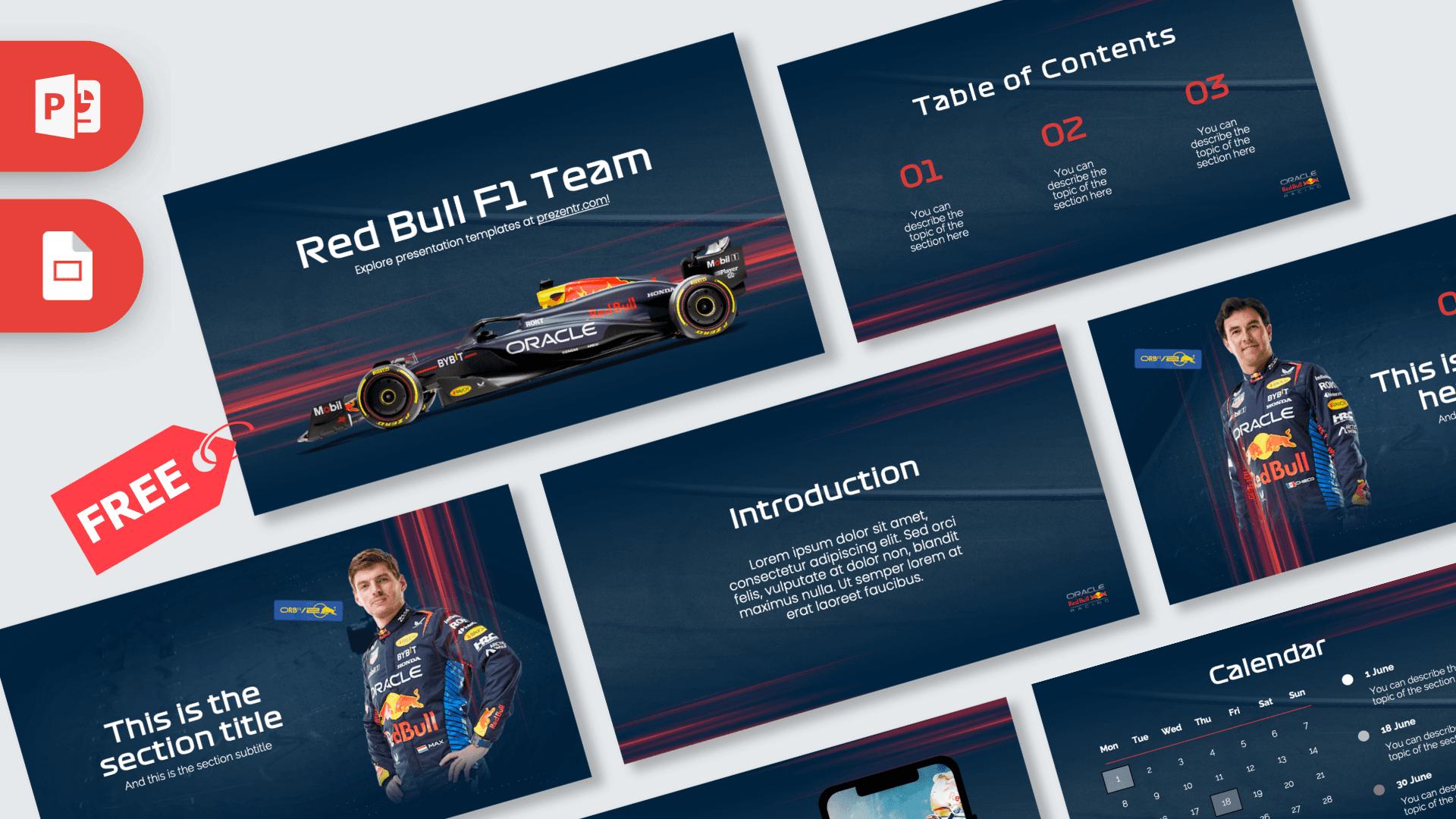
The Red Bull F1 Team PowerPoint template is a free, fan-made deck of 10 slides that looks like race day: a dark navy background, streaks of red light along the edges and a side view of the team's Formula 1 car on the title slide. Driver portraits, a race calendar and a phone mockup round out the set. It works in PowerPoint and Google Slides, so it is ready for motorsport projects, fan presentations and sponsorship or marketing talks.
What's Inside
The slides combine big, bold hero images with practical layouts for planning and data. Here is the full lineup:
- Title slide: "Red Bull F1 Team" in a wide, squared-off font above a full side view of the car in its dark blue livery, with red speed streaks behind it.
- Table of Contents: three large red numbers with a short description under each, for a clear agenda.
- Section title: a driver in the team race suit stands on the right, next to a section title and subtitle. It is a great opener for each chapter.
- Numbered headline slide: a second driver portrait on the left with a red "01", a headline and a subline on the right.
- Introduction: a centered heading and paragraph for background, a summary or your main question.
- Four Bullet Points: a heading, a subtitle and four numbered points in a two-by-two grid, good for key facts, goals or steps.
- Quote slide: a short line of text framed by red quotation marks.
- Big number slide: a huge figure with a red arrow pointing to a caption, made for a lap time, a points total or any stat you want to stand out.
- Calendar: a month grid from Monday to Sunday with three highlighted dates and a legend on the right, ideal for race weekends, viewing parties or project deadlines.
- Phone Mockup: a smartphone showing an image of the drivers next to a heading and paragraph. Swap the screen image for an app, website or social post.
The two portraits show Max Verstappen, the Dutch racing driver, and Sergio Pérez, the Mexican racing driver, in team race suits. You can easily replace them with other drivers or your own photos.
To build a full deck, open with the car on the title slide, show your agenda on the Table of Contents, and use the two driver slides to start the main parts of your talk. Fill in the details with the bullet, quote and big number slides, then finish with dates on the calendar and a link or social post on the phone mockup. Duplicate any layout when you need more room.
Design and Style
Every slide uses the same dark navy base with a slightly textured, diagonal sheen and red and blue light trails running across the top and bottom, like the blur of a car at full speed. A small Oracle Red Bull Racing logo sits in the lower right corner of the content slides.
Headings use a wide, geometric display font that echoes motorsport graphics, while body text is set in a clean sans serif. Numbers, arrows and quotation marks are red, matching the red in the team branding, and white text keeps everything readable on the dark background. The mood is bold, fast and sporty, with enough simple layouts to carry real content.
Who Is This Template For?
- Students presenting a project on Formula 1, car engineering, aerodynamics or sports business.
- Motorsport fans and clubs planning a race viewing party, a season preview or a quiz night.
- Marketing and business students studying sports sponsorship, team branding or fan engagement.
- Teachers using racing to explain physics topics like speed, friction and downforce.
- Content creators making slides for a race recap video, a podcast or a stream.
- Office teams who want a high-energy theme for a sales kickoff or a "race to the target" update.
How to Customize It
Editing in PowerPoint takes only a few minutes:
- Replace the text: click any title, number or placeholder paragraph and type your own words.
- Swap the photos: right-click the car, a driver portrait or the phone screen and choose Change Picture to insert a different image.
- Update the calendar: retype the dates in the grid to match your month, move the highlight boxes and rewrite the legend notes for each event.
- Recolor accents: select the red numbers or arrows and choose a new color from the Home tab. Yellow is another color that suits the navy background.
- Reorder and duplicate: drag slides in the thumbnail panel, or right-click and choose Duplicate Slide when you need more sections or bullet slides.
- Add motion: the deck has no built-in animations. A quick Push or Wipe transition from the Transitions tab fits the racing theme if you want some speed between slides.
In Google Slides, upload the file to Google Drive and open it with Google Slides. Right-click any image and choose Replace image to swap it, and edit text and colors the same way as in PowerPoint.
Presentation Ideas
- How an F1 car works: engine, aerodynamics, tires and pit stops, one section each.
- Season preview: the calendar slide for key race weekends and bullet slides for predictions.
- Sports sponsorship case study: how energy drink and tech brands use racing teams for marketing.
- The physics of speed: a science lesson on drag, downforce and grip.
- Driver profile: an introduction to a driver's role, team and racing style, kept to neutral facts.
- Race night quiz: questions on the headline slides and answers on the next slide.
Related Templates
Stay on track with the Red Bull PowerPoint Template and the Max Verstappen PowerPoint Template. For the wider grid, try the Formula 1 PowerPoint Template or the Mercedes F1 Team PowerPoint Template. You can also browse all brand and company templates.
Frequently asked questions
- Is the Red Bull F1 Team PowerPoint template free?
- Yes, it is free to download from Prezentr. It is a fan-made design and is not affiliated with or endorsed by the team or Formula 1.
- How many slides are in the Red Bull F1 template?
- There are 10 slides: title, table of contents, section title, headline, introduction, four bullet points, quote, big number, calendar and phone mockup.
- Can I edit the Red Bull F1 template in Google Slides?
- Yes. Upload it to Google Drive and open it with Google Slides, where text, images and colors stay editable.
- Which drivers are shown in the template?
- The section and headline slides show Max Verstappen and Sergio Pérez in team race suits. You can replace them with Change Picture in PowerPoint.
- Can I use the calendar for a race schedule?
- Yes. Retype the dates for your month and add race weekends or viewing parties to the legend next to the grid.
This is a fan-made template inspired by Red Bull F1 Team PowerPoint Template. Prezentr is not affiliated with, endorsed by, or selling assets from Red Bull F1 Team PowerPoint Template. All brand names, logos, and trademarks belong to their respective owners.