The Pluribus PowerPoint Template is a free, fan-made deck inspired by the Apple TV series from Vince Gilligan, the show where everyone agrees except one woman. It has 24 slides: ten designed content slides with sample text about the series, ten blank versions of the same layouts, and four resource slides. The palette is a loud yellow paired with black, white and cool gray, which echoes the show's contrast between one unhappy person and a calm, smiling crowd. Use it for episode recaps, watch parties, media studies classes or a night of fan theories. Transitions and animations are already in place.
What's Inside
The ten content slides are arranged like a short discussion guide:
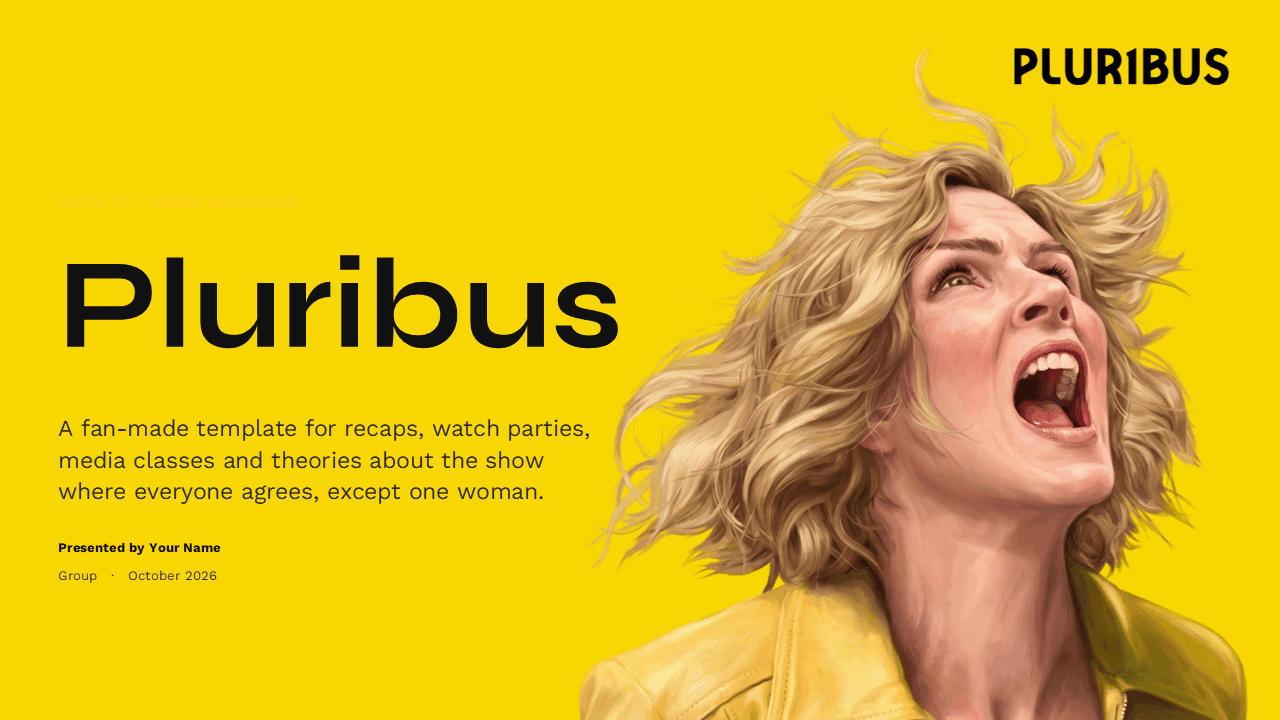
- Title slide: a big "Pluribus" headline on yellow next to a painted portrait of a screaming woman, with a subtitle and presenter details.
- Section divider: "Everyone, except Carol" over a black and white crowd photo, opening part one.
- The premise: a text slide that sums up the setup of the series and the people behind it.
- Quote slide: the show's logline in large italic type on yellow, with a smiley face drawn in a petri dish.
- Who's who: four circular portraits with character names, actors and a one-line description each.
- The rollout: a timeline of how the first season was released, ending with an open slot for the next season.
- Two ways to live: a two-column slide comparing what the hive offers with what Carol keeps.
- By the numbers: three stat cards over a dark, close-up background.
- Comparison table: Carol versus the Others, compared on mood, goal, method and weakness.
- Closing slide: "Stay unjoined." over a repeating pattern of smiling faces, with one yellow face that stands out, plus a fan-made disclaimer.
Slides 11 to 20 repeat the ten layouts without text, so you can write your own recap or theory deck in the same style. The final four slides list the fonts, supporting elements, an icon page with a link to an editable SVG icon pack, and more templates.
Design and Style
The design is bold and editorial, like a poster campaign for a streaming show. Full yellow slides are used for the cover and the quote, while content slides sit on a light gray background with soft circular lines, dot grids and a blurred yellow glow behind the logo in the corner. Headlines use Syne, a wide geometric display font with a distinctive look, and body copy uses Work Sans for easy reading. Section and closing slides switch to dark photography: a gray crowd shot, a moody close-up and a halftone pattern of faces. Yellow is saved for highlights such as Carol's name, the active column and labels above each headline, which keeps the main character visually separate from everyone else on every slide. Rounded cards, thin dividers and generous white space keep the text slides calm and readable.
The structure also makes the deck easy to reuse beyond a single recap. The premise slide holds a short paragraph of context, the who's who slide fits four people with a photo and a line each, and the timeline handles any sequence of events. The two-column slide and the comparison table are built for contrast, which suits a show about one person against everyone else, but they work just as well for comparing two books, two characters or two sides of a debate. The quote slide gives one line room to breathe, so use it for a logline, a memorable line of dialogue or a discussion question you want the room to think about.
Because every content slide also exists as an empty layout, you can grow a ten slide recap into a longer season guide without losing the consistent look.
Who Is This Template For?
- Fans hosting watch parties or season recap nights.
- Media studies and film students analyzing a TV series.
- Teachers using the show to discuss individuality, happiness and free will.
- Podcasters, bloggers and YouTubers outlining episode breakdowns.
- Book and TV clubs planning a discussion session.
- Anyone who wants a striking yellow and black deck for a sci-fi topic.
How to Customize It
The template is made for Microsoft PowerPoint and uses a 16:9 widescreen format.
- Install the fonts: download Syne and Work Sans, both free, so headlines and body text display as designed.
- Edit the sample text: click any headline, card or table cell and replace the copy with your own recap, questions or theories.
- Use the blank layouts: duplicate slides 11 to 20 when you need extra character, timeline or comparison slides.
- Swap the images: right-click a photo or portrait and choose Change Picture to add your own stills or artwork.
- Refresh the facts: update the timeline and numbers as new seasons are announced.
- Adjust the animations: use the Transitions and Animations tabs to change timing or remove effects. The resource slides use Morph.
Presentation Ideas
- A spoiler-light introduction to the series for friends who have not watched it.
- A character guide before a watch party.
- A class debate on whether shared happiness is worth losing individual choice.
- A fan theory deck about where the story goes next.
- A media studies analysis of the show's visual style and themes.
- A podcast episode outline with key scenes and talking points.
Related Templates
If you like this one, explore these TV show templates too:
Frequently asked questions
- Is the Pluribus PowerPoint template free?
- Yes. You can download and use it for free for recaps, classes, watch parties and other personal projects.
- How many slides are in the template?
- There are 24 slides: ten content slides with sample text, ten blank versions of the same layouts, and four resource slides for fonts, elements, icons and more templates.
- Is this an official Pluribus template?
- No. It is a fan-made template inspired by the series and is not affiliated with Apple or Sony Pictures Television, as noted on the closing slide.
- Does it contain spoilers?
- The sample content covers the premise, main characters and how the first season was released, without a scene-by-scene plot breakdown. You can edit or remove any slide before sharing.
- Which fonts does it use?
- Headlines use Syne and body text uses Work Sans. Both are free fonts, so install them before editing.
- Is the template animated?
- Yes. The content slides include transitions and object animations, and the resource slides use Morph. You can change them in the Transitions and Animations tabs.