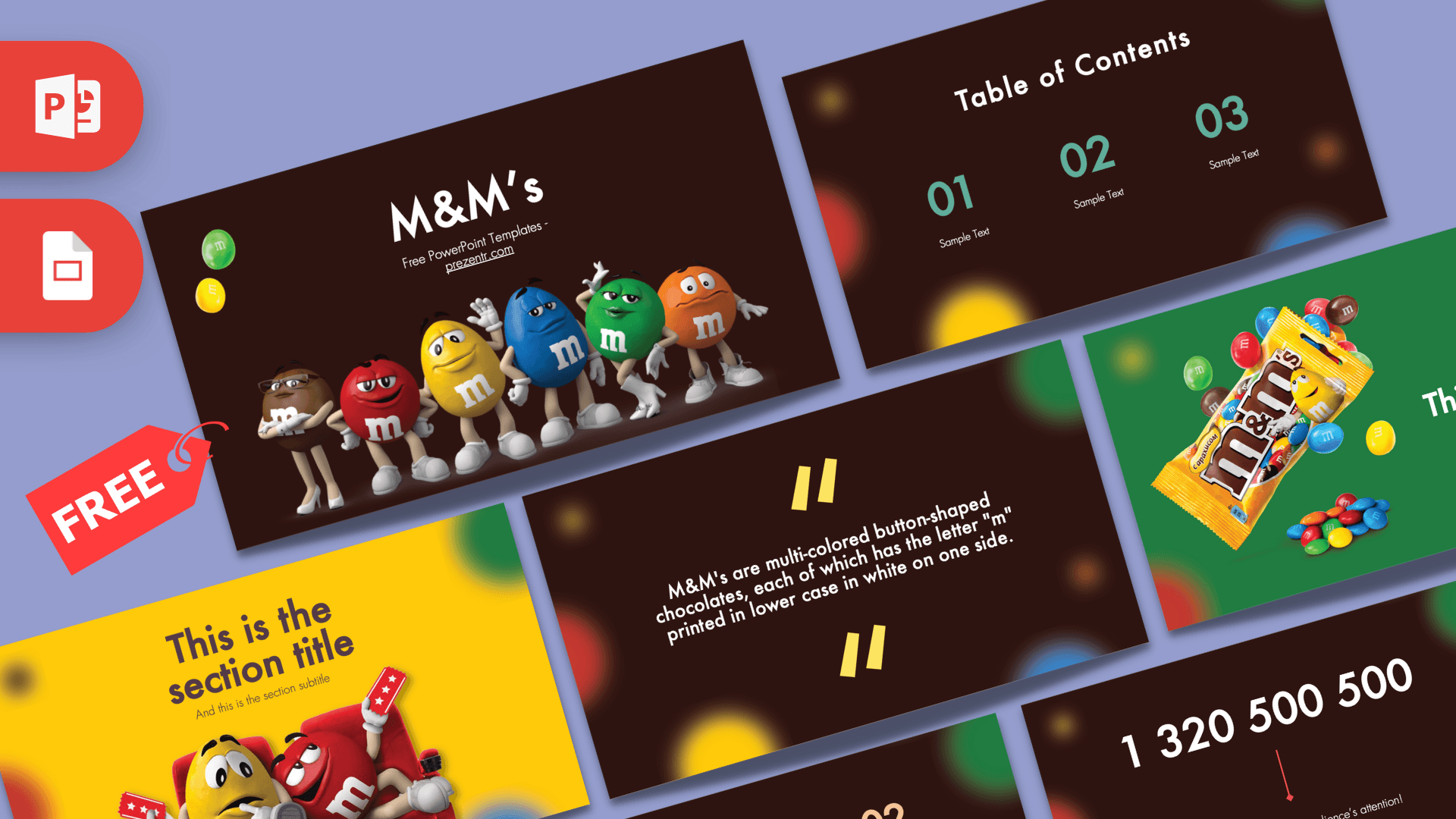
The M&M's PowerPoint template is a free, fan-made deck of 10 slides on a rich chocolate brown background, sprinkled with soft, blurred candy dots in red, yellow, green, blue and orange. The six familiar candy characters line up on the title slide, and bright yellow and green slides break up the brown so your talk never feels flat. It works in PowerPoint and Google Slides, which makes it a sweet choice for school projects, marketing pitches and fun office updates.
What's Inside
You get a compact, well-rounded set of layouts that covers most everyday presentations. Here is each slide and what it is good for:
- Title slide: a white "M&M's" title with a subtitle line, and the brown, red, yellow, blue, green and orange characters standing in a row across the bottom. Two loose candies sit in the top corner.
- Slide title with text: a centered heading and a short paragraph, perfect for an introduction or a simple explanation.
- Table of Contents: three large numbers in teal with a label under each, so you can show the plan of your talk at a glance.
- Section title: a bright yellow slide with the Yellow and Red characters relaxing in red cinema seats, holding tickets. It is a fun way to open a new chapter.
- Quote slide: a centered statement between big yellow quotation marks on the brown background. The sample text explains what M&M's are, and you can replace it with a fact or a quote of your own.
- Numbered headline slide: a green slide with a yellow "01", a headline and a subline next to a photo of an M&M's bag with candies spilling out. Good for a product focus or a key point.
- Slide title with bullets: a big title on the left and two bullet points on the right. The sample bullets note that the template uses the Futura font.
- Bullet Points (four): four numbered points, each number in a different candy color: yellow, red, teal and blue.
- Bullet Points (five): a heading with five numbered points in a grid, colored in blue, peach, teal, red and yellow.
- Big number slide: one huge white figure with a red arrow pointing to a caption, made for the statistic you want people to remember.
Design and Style
The base of the deck is a dark chocolate brown, which makes the candy colors pop. Around the edges of most slides you will see large, out-of-focus circles in the classic candy shell colors, a bit like candies scattered on a table and photographed up close. Two slides swap the brown for solid color: a sunny yellow section slide and a grass green headline slide.
Typography is clean and geometric. The template notes Futura as its font, used in white for headings and body text on the dark slides, with numbers picked out in the candy colors. For the best look, install Futura before you edit, or pick a similar geometric sans serif if you do not have it.
The characters and product photos appear on the title, section and headline slides, while the rest are text layouts. The result is playful and brand-inspired, but still neat enough for a classroom or meeting room.
Who Is This Template For?
- Students writing a report on a famous candy brand, chocolate making or food marketing.
- Marketing and business students preparing a brand case study, a SWOT analysis or an advertising review.
- Teachers who want a colorful theme for lessons on colors, counting, sorting or probability with candies.
- Party planners making a candy-themed birthday slideshow or a quiz for kids.
- Office teams sharing a lighthearted update, a sweets day announcement or a team trivia game.
- Small shop owners presenting a candy bar, dessert table or snack product idea.
How to Customize It
Every text element is a normal text box, so you can make the deck your own in a few minutes in PowerPoint:
- Replace the text: click the title, numbers or sample lines and type your content. The "M&M's" title can become your own topic.
- Change the pictures: right-click a character or product photo and choose Change Picture to insert your own image, such as a photo of your product or your team.
- Recolor elements: select a number or shape and choose a new fill or font color from the Home tab. Keep to the candy palette of red, yellow, green, blue, orange and brown for a matching look.
- Install the font: if Futura is missing on your computer, PowerPoint will substitute another font. Install it first, or replace it with a similar font across the deck using Replace Fonts on the Home tab.
- Reorder and duplicate: drag slides in the thumbnail panel, or right-click a slide and choose Duplicate Slide for extra sections.
- Add motion: the slides have no built-in animations, but a quick fade or zoom from the Animations tab can reveal each numbered point one at a time.
In Google Slides, upload the file to Google Drive and open it with Google Slides. Replace images by right-clicking and choosing Replace image, and if Futura is not available, choose a similar font from the font menu.
Presentation Ideas
- Brand case study: history, products, target audience and advertising style of a well-known candy brand.
- Color and probability lesson: count the colors in a bag of candy and show the results on the bullet point slides and the big number slide.
- Chocolate from bean to bar: a science or geography talk on how chocolate is made.
- Mascot marketing: why companies use characters to sell products, with one point per slide.
- Candy-themed party quiz: questions on the headline slides, answers on the next slide.
- Product launch pitch: a fun format for presenting a new snack or dessert idea to a class or team.
Related Templates
Craving more sweets? Try the Chocolate PowerPoint Template, the Dark Chocolate PowerPoint Template or the Nutella PowerPoint Template. For another famous food and drink brand, the Coca-Cola PowerPoint Template is a good next stop. You can also explore all brand and company templates.
Frequently asked questions
- Is the M&M's PowerPoint template free to download?
- Yes, you can download it from Prezentr for free. It is a fan-made, brand-inspired design and is not affiliated with or endorsed by Mars or M&M's.
- How many slides does the M&M's template include?
- It includes 10 slides: a title slide, text slide, table of contents, section title, quote, numbered headline, title with bullets, two bullet point layouts and a big number slide.
- Does the M&M's template work in Google Slides?
- Yes. Upload the file to Google Drive and open it with Google Slides. If Futura is not available there, pick a similar font.
- What font does the M&M's template use?
- The template uses Futura. Install it before editing for the intended look, or replace it with another geometric sans serif.
- Can I replace the M&M's characters with my own images?
- Yes. In PowerPoint, right-click any character or product photo and choose Change Picture to insert your own image.
- Is the M&M's template good for a class project?
- Yes. It works well for brand reports, marketing case studies and fun math lessons about counting and sorting candy colors.