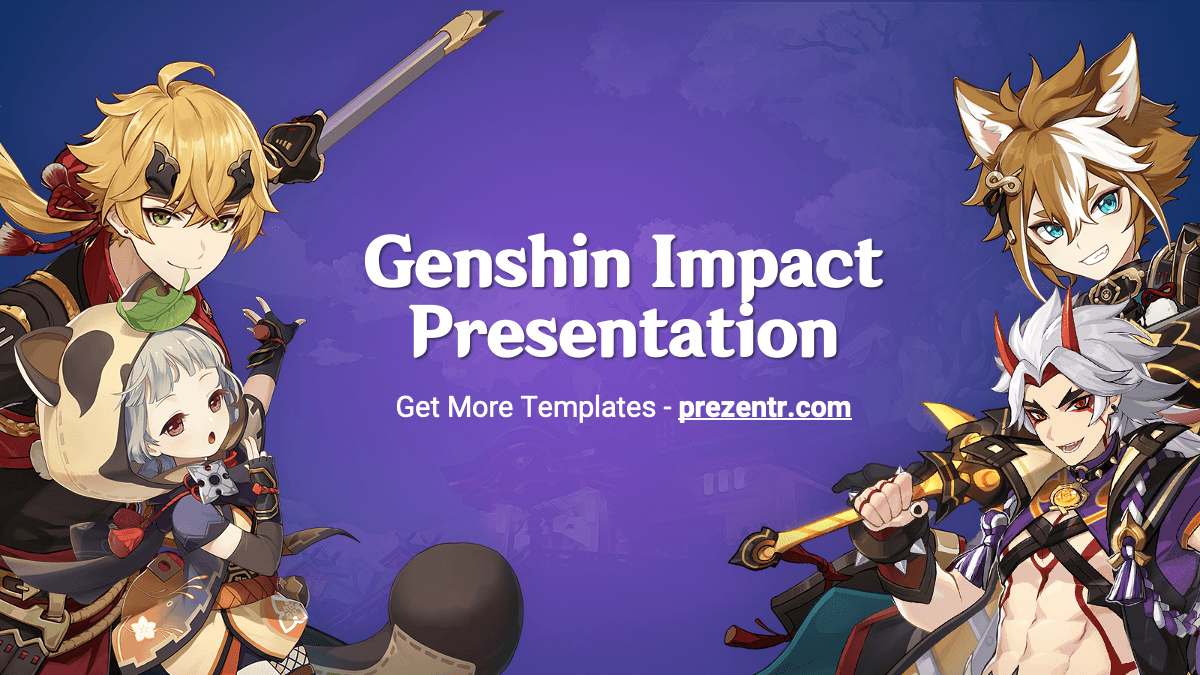
This free Genshin Impact PowerPoint template sets your slides against a dreamy purple and blue sky with faint clouds and landscape shapes, plus colorful anime-style character art from the game. It is a compact 5-slide widescreen deck with a title slide, a content slide, two character section slides and an open layout, all built on editable PowerPoint layouts. Use it in PowerPoint or Google Slides for gaming talks, fan projects or club meetings.
What's Inside
The deck is small but well rounded. Each slide is a reusable building block you can duplicate as often as you need:
- Title slide: a "Genshin Impact Presentation" heading in the center, framed by a group of game characters on both sides, with a short subtitle line underneath. A bold opener that fans will recognize right away.
- Content slide: a centered "Slide Title" heading with a bullet list on the purple background and the Genshin Impact logo in the bottom right corner. The sample text explains which fonts are used, so it is a good slide to read first.
- Section title (character one): a large section heading and subtitle on the left, with a character holding a long spear-like weapon on the right side.
- Section title (character two): the same layout with a different character, a white-haired fighter with red horns carrying a huge weapon. Use the two section slides to split your talk into parts.
- Open layout: the purple sky background with only the logo in the corner, leaving the full slide free for screenshots, charts, maps or team lists.
The master also includes standard PowerPoint layouts such as Title and Content, Two Content, Comparison, Title Only and Blank, so you can add more slides with New Slide and keep the same background.
Design and Style
The Genshin Impact PPT template uses a rich gradient of violet, indigo and blue, with soft cloud and scenery shapes that hint at the game's fantasy world without distracting from your text. All text is white, which gives clean contrast on the dark purple. Headings use a decorative display font in the style of the game's logo, and body text uses Roboto, a simple sans serif that is easy to read. The character artwork is bright and detailed, in the anime style the game is known for, and it is placed on the edges of the slides so your content stays in the clear center area. The overall mood is bold, playful and a bit magical, a good fit for fan audiences and gaming communities. Since the background is dark, the slides also look sharp on a projector or when shared on screen during an online call or a livestream. This is a free fan-made design and is not affiliated with or endorsed by HoYoverse.
Who Is This Template For?
The template is a natural choice for anyone who loves the game or wants to talk about gaming culture. Because the layouts are simple, it also works when the topic is only loosely connected to the game, such as a talk about art, storytelling or online communities:
- Students presenting on video games, game design, anime art or the gaming industry.
- Gaming clubs and school esports teams sharing schedules, team rosters or tournament results.
- Streamers and content creators putting together a channel overview, a guide or a stream schedule.
- Fan communities running a quiz night, a character tier list discussion or an event recap.
- Game design and art classes analyzing character design, world building or visual style.
- Party hosts planning a gaming-themed birthday or meetup slideshow.
How to Customize It
Here is how to make the Genshin Impact PowerPoint template your own:
- Install the fonts first: the content slide notes that the template uses a Genshin Impact display font and Roboto. Download and install them before editing so headings look as intended.
- Edit the text: click on "Section Title", "Slide Title" or "Add Your Text Here" and type your own content.
- Add more slides: use Home, then New Slide, and pick a layout, or right-click an existing slide and choose Duplicate Slide.
- Swap the characters: right-click a character image and choose Change Picture to show your own favorite character or a game screenshot. If an image cannot be selected, edit it in View, then Slide Master.
- Insert screenshots: the open layout slide is ideal for game screenshots, maps or team builds. Use Insert, then Pictures.
- Adjust colors: select text and change the font color, or add shapes in a lighter purple or gold to highlight key points.
- Add motion: use the Animations and Transitions tabs to reveal points one by one or add a smooth fade between sections.
Google Slides: upload the PPTX to Google Drive and open it with Google Slides. Text and images stay editable. If the display font is not available there, choose a bold font from the font menu as a substitute.
Presentation Ideas
- Why Genshin Impact became so popular: open world exploration, art style and regular updates.
- Character design in anime-style games: colors, silhouettes and personality.
- A beginner's guide to the game, with tips for new players.
- Your favorite characters ranked, with a short reason for each pick.
- Free-to-play games and how they make money: a business or economics class topic.
- A gaming club meeting: upcoming events, team goals and member highlights.
Since the Genshin Impact PowerPoint template is compact, build it out by duplicating the section and content slides for each part of your talk. One image or one list per slide keeps the colorful background from feeling busy.
Related Templates
Love anime-style art? Try the Anime PowerPoint Template and the Jujutsu Kaisen PowerPoint Template. For more gaming designs, see the eSports PowerPoint Template and the Super Mario PowerPoint Template, or browse all games templates.
Frequently asked questions
- Is the Genshin Impact template free?
- Yes, it is free to download and use for fan, school and club presentations. It is a fan-made design and is not affiliated with HoYoverse.
- How many slides does the Genshin Impact PowerPoint template have?
- It has 5 slides: a title slide, a content slide, two character section slides and an open layout. The master also includes standard layouts you can add with New Slide.
- Can I open the Genshin Impact template in Google Slides?
- Yes. Upload the PPTX file to Google Drive and open it with Google Slides. You may need to choose a replacement for the game-style heading font.
- Which fonts does the template use?
- The content slide notes a Genshin Impact display font for headings and Roboto for body text. Install both before editing for the best look.
- Can I change the characters on the slides?
- Yes. Right-click a character image and choose Change Picture. If you cannot select it, open View, then Slide Master and replace it there.
- Does the template include animations?
- The file we checked has no built-in animations or transitions, but you can add your own in PowerPoint or Google Slides in a few clicks.