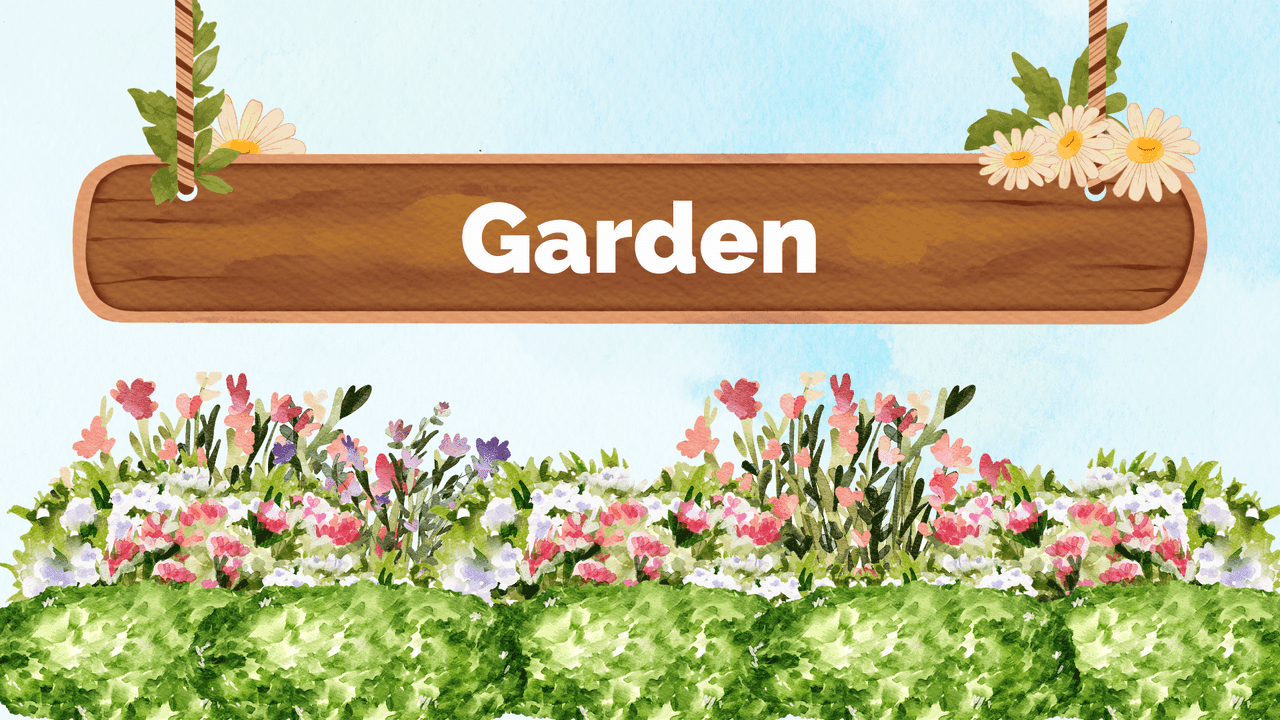
The Garden PowerPoint Template is a free 10-slide deck painted in soft watercolor: a pale blue sky, rows of green hedges along the bottom of every slide, flower beds in pink, white and purple, and warm brown labels that look like garden signs. The title slide hangs the word "Garden" on a wooden plank tied with rope and daisies. You can download it for PowerPoint or open it straight in Canva.
What's Inside
- Title slide: a hanging wooden sign above a colorful flower border.
- Table of contents: three numbered topics on a brown branch-style line.
- Headline slide: a large "01" label with a headline and subline beside a watercolor cypress.
- Section title: a rounded brown banner with a potted flowering shrub.
- About: a brown oval text panel framed by tall grasses and flowers.
- Big number: one large figure in a brown pill with a short caption.
- Images: two garden photos in arrow-shaped frames with a paragraph between them.
- Quote: large green quotation marks with irises and wisteria.
- Stats: three donut rings (51%, 58%, 63% as sample values) with labels.
- Bullet points: six numbered points on two brown bars.
The slides are 16:9 and use the Raleway font family. All text, numbers and photos are editable.
Who Is This Template For?
- Students presenting on plants, gardening, ecology or the seasons.
- Teachers preparing a spring or nature lesson.
- Garden centers, landscapers and florists introducing their services.
- Community garden groups and school garden clubs sharing plans and results.
- Anyone planning a garden party, open day or spring event.
How to Customize It
Click any text to type your own. To swap the garden photos on the Images slide, right-click a photo and choose Change Picture. The donut rings on the Stats slide are shapes: type your own percentage and resize the green arc to match. Duplicate any slide to add more sections. In Canva, open the design with the Canva button on this page, make a copy and edit it in your browser.
Presentation Ideas
- How to start a vegetable garden at school
- The life cycle of a flowering plant
- Pollinators and why gardens need them
- A landscaping proposal for a backyard
- Spring planting calendar for beginners
Related Templates
Looking for more nature designs? Try the Flowers PowerPoint Template, Spring PowerPoint Template, Sunflowers PowerPoint Template and Farming PowerPoint, Google Slides & Canva Template, or browse all Canva presentation templates.
Related reading
Frequently asked questions
- Is the Garden PowerPoint template free?
- Yes. You can download the Garden template for free, with no signup.
- How many slides does the Garden template have?
- 10 slides: title, table of contents, headline, section title, about, big number, images, quote, stats and bullet points.
- Can I use the Garden template in Canva?
- Yes. Use the Canva button on this page to open the design in Canva and make your own copy.
- Can I replace the garden photos?
- Yes. Right-click a photo on the Images slide and choose Change Picture to use your own.
- Which font does the template use?
- The Raleway font family, in several weights.
- Is the Garden template good for school projects?
- Yes. It works well for presentations about plants, gardening, ecology and spring.