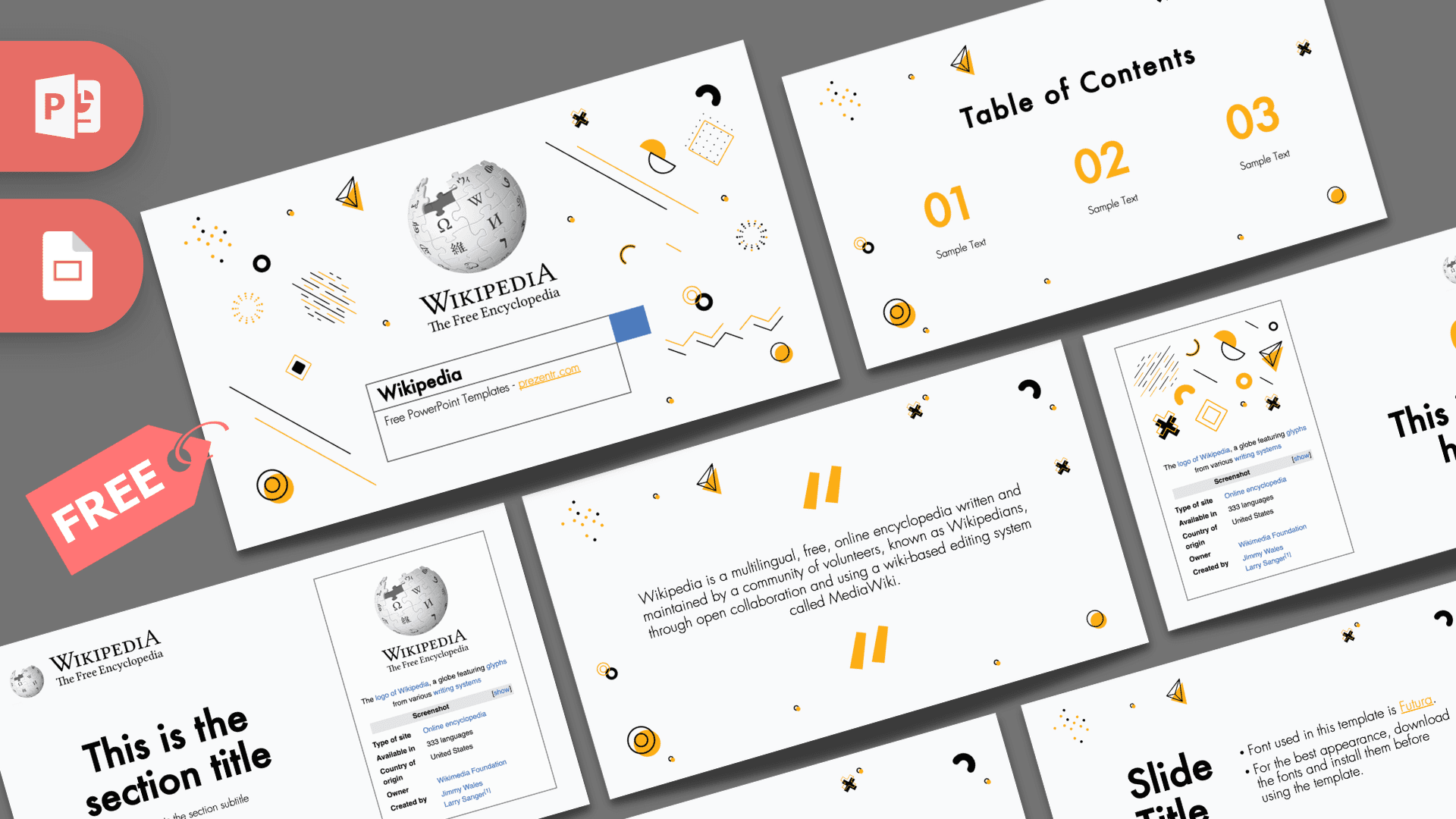
This free Wikipedia PowerPoint template is a 10-slide deck that borrows the look of the online encyclopedia, with the puzzle globe logo, a search-style title box and an infobox-style panel, all set on an off-white background scattered with playful black and yellow shapes. It mixes the clean, text-first feel of a reference page with bright yellow numbers and doodles, so your facts look organized but never boring. It works in PowerPoint and Google Slides and is a natural fit for research projects and knowledge-sharing talks.
What's Inside
The deck has 10 slides in 16:9 format, with several list layouts for presenting facts clearly.
- Title slide: the puzzle globe logo with "Wikipedia, The Free Encyclopedia" above a white box styled like a search field, where your title goes.
- Table of contents: three large yellow numbers with short labels underneath.
- Section title: a big heading on the left and an infobox-style card on the right, like the summary box you see on an article page.
- Quote slide: bold yellow quote marks around a short description of Wikipedia as a free online encyclopedia written by volunteers. Replace it with your own quote or definition.
- Headline slide: a yellow "01" and headline next to an infobox graphic, good for opening a new chapter.
- Slide title and text: a large title on the left with bullet points on the right. In the file it carries a note about the template font.
- Bullet points (three): three numbered points in a staggered row.
- Bullet points (four): four numbered points in a two-by-two grid.
- Bullet points (five): five numbered points with a title block in the corner.
- Big number: one oversized yellow figure with an arrow pointing to a caption.
Design and Style
The background is a very light gray, close to white, which keeps the deck feeling like a page of reference text. Around the edges sit small Memphis-style decorations: paper airplanes, black crosses, dotted grids, yellow circles, half moons and thin diagonal lines. They add energy and a bit of humor without crowding the content in the middle.
Yellow is the only strong accent, used for every number and the quote marks, and it pops nicely against the black headings. The template uses Futura for headings, as noted on one of the slides, which gives it a geometric, slightly retro feel; the file recommends installing the font for the best appearance. The Wikipedia logo and infobox graphics appear only on the title, section and headline slides, so the rest of the deck works for almost any research topic. The overall style is professional and tidy, with a light, friendly twist.
The layouts are deliberately simple, which is useful when you have a lot of information. Each list slide gives every point its own number and a short line of text, so audiences can follow along even when the topic is dense. If you need more detail, add speaker notes instead of extra text on the slide, and keep the page itself as clean as a good encyclopedia summary.
This is a free, fan-made design by Prezentr. It is not an official Wikipedia or Wikimedia Foundation template.
Who Is This Template For?
- Students presenting research, a book summary or a "did you know" fact sheet.
- Teachers introducing a new topic, or teaching how to research and check sources online.
- Librarians running workshops on information literacy and using reference sites.
- Trainers and team leads sharing knowledge-base guidelines or onboarding facts.
- Quiz hosts who want a trivia night that looks like an encyclopedia page.
- Volunteer and community groups explaining how open, collaborative projects work.
How to Customize It
Download the Wikipedia PPT template and open it in PowerPoint. Click any placeholder to replace the sample text. If you want to use the Futura font shown in the design, install it before opening the file; otherwise PowerPoint will use a fallback font. To swap the infobox image for your own picture, right-click it and choose Change Picture.
The Memphis decorations are separate shapes, so you can move, resize or delete them to make more room for text. To change the yellow accent, select a number or shape and use Font Color or Shape Fill; blue also works well if you want an even closer link to classic hyperlink colors. Duplicate the bullet point layouts you need most by right-clicking them in the thumbnail panel, and drag slides into your preferred order.
To use the deck as a Wikipedia Google Slides theme, open Google Slides, choose File, then Import slides or Open, and upload the PowerPoint file. If Futura is not available, pick a similar geometric sans serif from the font list so the headings keep their shape. Google Slides also makes it easy to work on a group research project, since everyone can edit the same file and leave comments on each slide.
Presentation Ideas
- A research presentation set up like an encyclopedia article, with an infobox-style summary of your topic on the section slide.
- A lesson on how online encyclopedias work and how to check whether a source is reliable.
- A "ten facts you did not know" talk, using the three, four and five bullet layouts.
- A biography report on a historical figure, with key dates and one big number.
- A trivia night where each round opens with the headline slide.
- A team knowledge-sharing session on how to write clear internal documentation.
- A class project where each student writes a short "article" about a country, animal or invention and presents it with the Wikipedia slides as a shared format.
Related Templates
For more web and learning themes, try the Google PowerPoint Template, the Google Classroom PowerPoint Template, the History PowerPoint Template and the School PowerPoint Template. You can also browse all education templates.
Frequently asked questions
- Is the Wikipedia PowerPoint template free?
- Yes, you can download it free from Prezentr. It is fan-made and not an official Wikipedia or Wikimedia template.
- How many slides does the Wikipedia template have?
- It has 10 slides: title, table of contents, section title, quote, headline, title and text, three bullet point layouts and a big number slide.
- Which font does the Wikipedia template use?
- The headings are designed for Futura, as noted on one of the slides. Install it before editing for the best result, or swap in a similar geometric sans serif.
- Can I open the Wikipedia slides in Google Slides?
- Yes. Upload the PowerPoint file through File, then Import slides or Open, in Google Slides and edit it there.
- Is it good for a school research project?
- Yes. The encyclopedia look, clear numbered lists and big number slide make it a good fit for research reports and fact presentations.
- Is the Wikipedia template animated?
- No, it does not include animations or transitions. You can add them yourself if you like.