The Red Ribbon Week PowerPoint template is a free deck for schools and communities taking part in Red Ribbon Week, the annual drug prevention awareness campaign held in many US schools. It includes 14 widescreen slides in bright red, deep navy and warm cream, with cheerful illustrations of students in red superhero capes and a red awareness ribbon on almost every slide. The hook is that it is ready for a real school week: an explanation of the campaign, a five-day dress-up plan, a student pledge and simple steps for saying no, all written in clear, age-appropriate language that teachers can adapt.
What's Inside
The file contains ten designed content slides followed by four design resource slides.
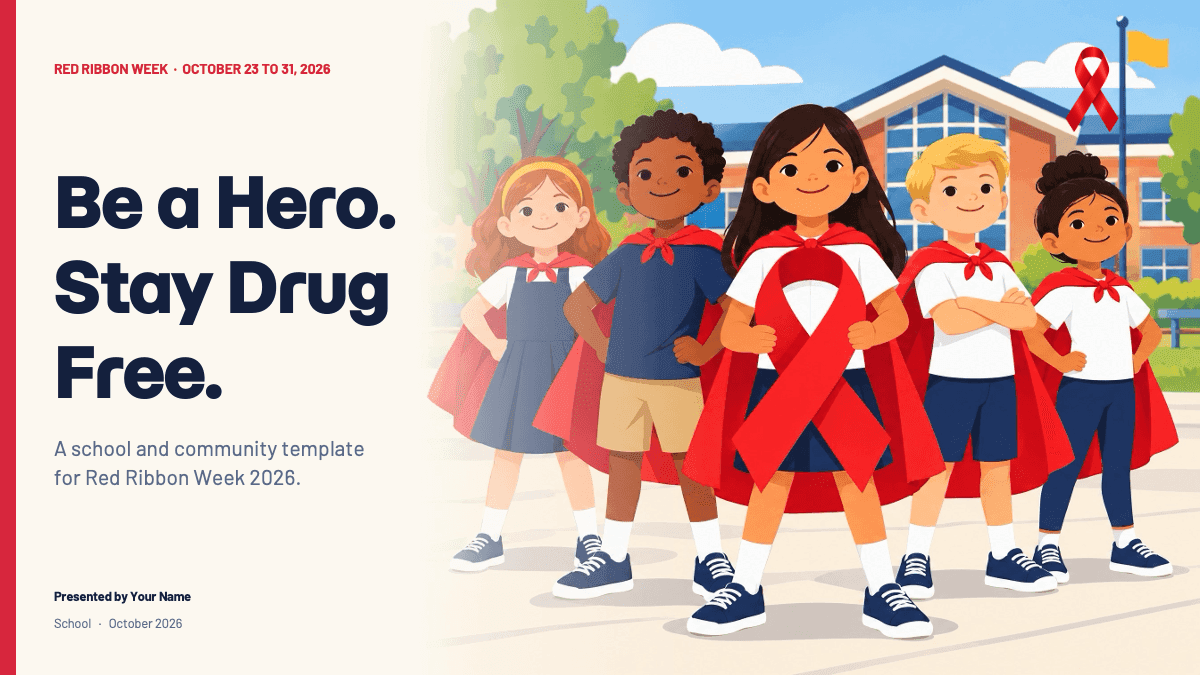
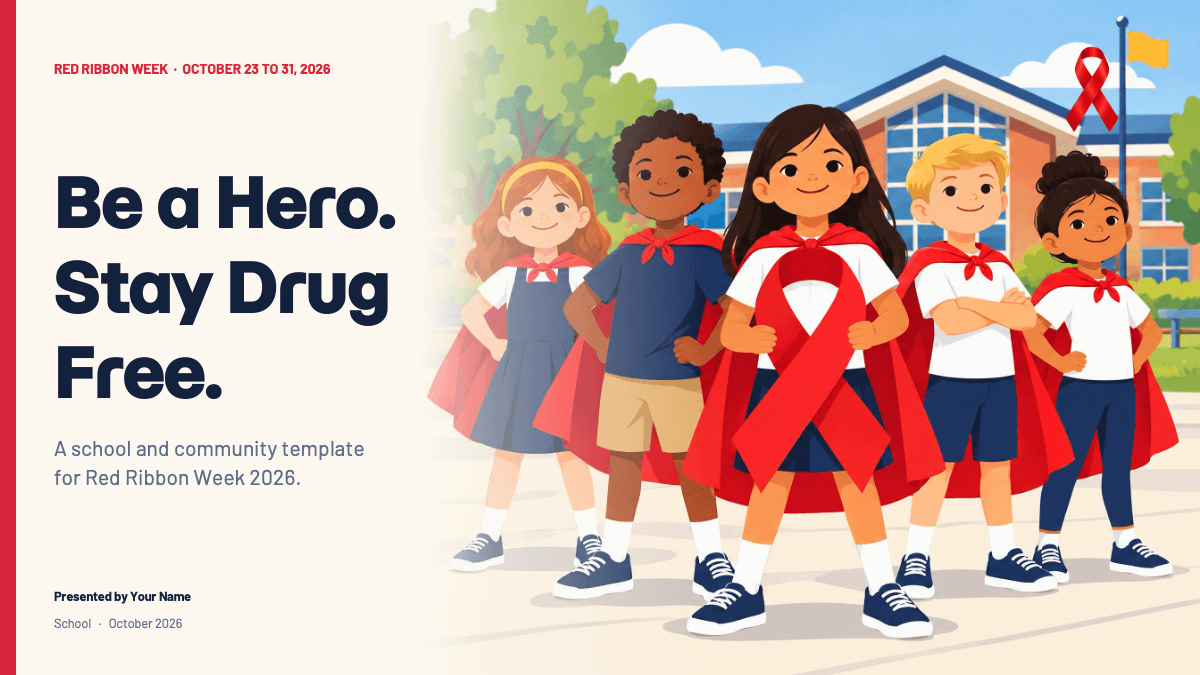
- Title slide: a bold "Be a Hero. Stay Drug Free." headline with a subtitle, presenter name and school, beside an illustration of smiling students in red capes in front of a school building.
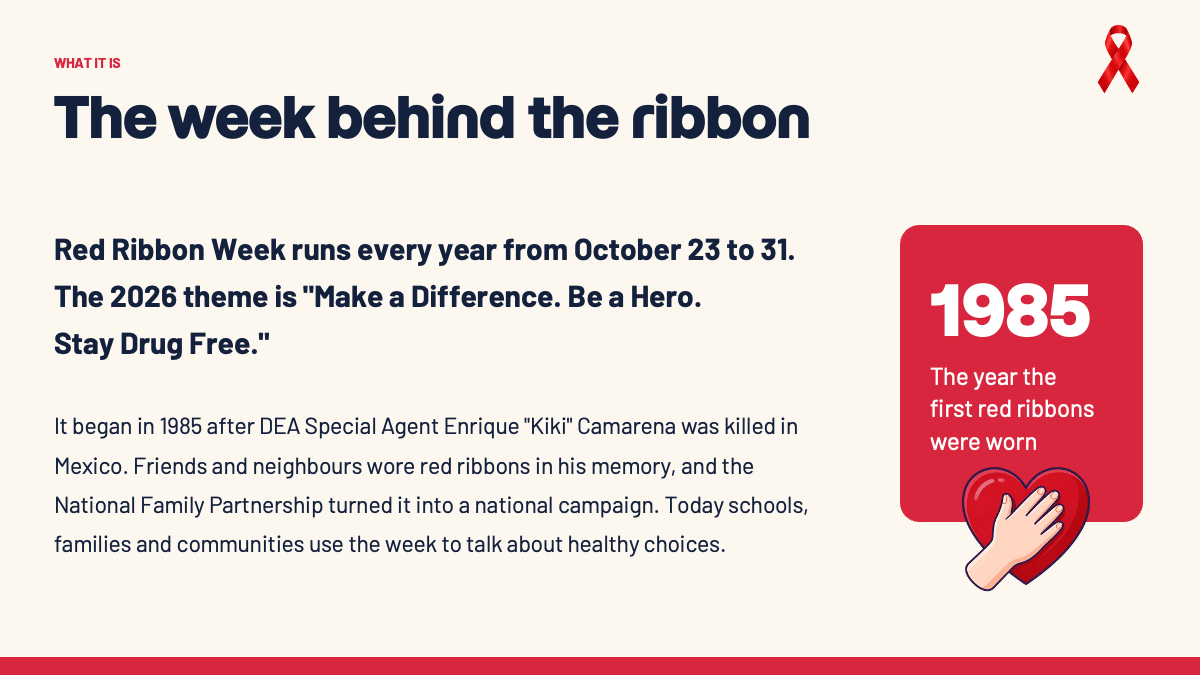
- What it is: a short explanation of the campaign and how it began, with a highlight card for the year the first red ribbons were worn.
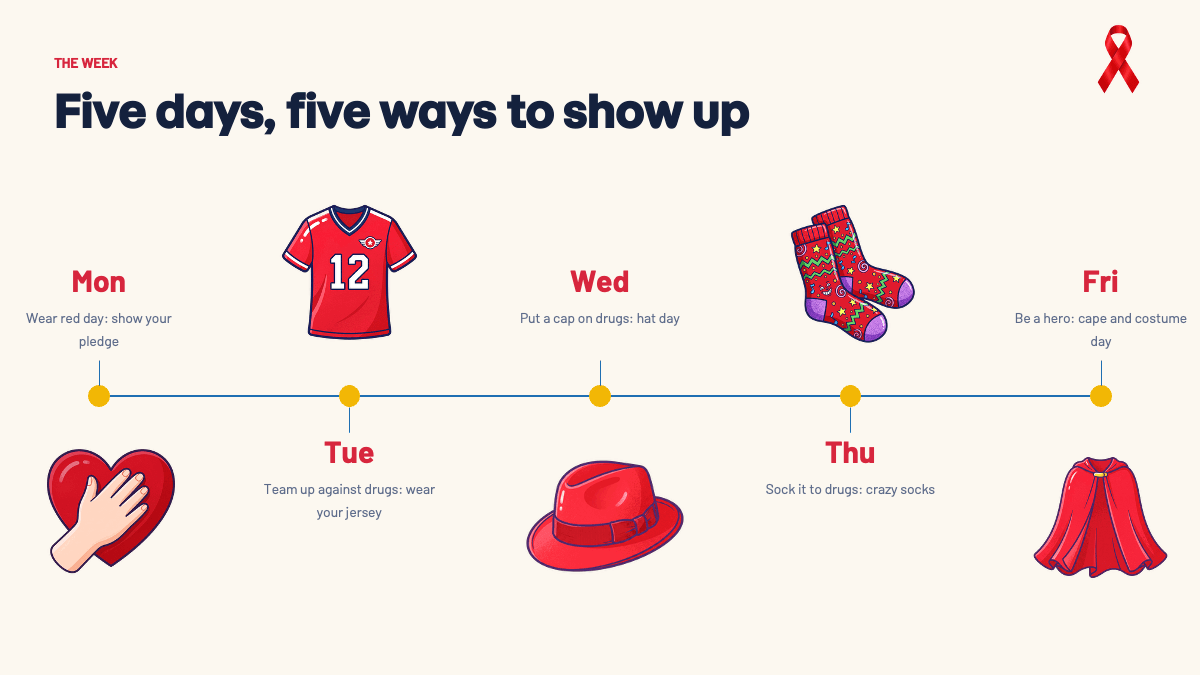
- The week: a five-day timeline from Monday to Friday with a theme day for each, illustrated with a heart, a jersey, a hat, crazy socks and a cape.
- Be a hero: four red cards with icons for everyday ways students can make a difference, such as speaking up and asking a trusted adult for help.
- The pledge: six short "I" statements with icons that students can read together or sign.
- By the numbers: three stat cards for an assembly, including one you replace with your own school's pledge count.
- Section divider: "Why we wear red" as a bold chapter break.
- Five steps to say no: a step-by-step diagram with red ribbon markers, from taking a breath to walking away.
- Our school: a photo slide with an illustration of students decorating a hallway, meant to be swapped for a photo of your own decorations or pledge wall.
- Closing slide: a "Make a difference." thank-you slide with a caped student illustration.
- Design resources: a fonts slide, an elements slide, an icon pack slide and a final slide with a link to more templates.
Design and Style
The design is friendly and bold, aimed at elementary, middle and high school audiences without looking childish. Cream backgrounds keep the slides bright and easy to read on a projector, navy headlines give strong contrast, and red is used for labels, cards and the ribbon icon. Golden yellow dots mark the timeline. The illustrations show a diverse group of students in capes, red T-shirts and school clothes, which ties the "be a hero" message to the visuals.
Headlines use a heavy rounded display font and body text uses a clean sans serif. The theme in the file sets Momo Trust Display for headings and Barlow for body text, and the fonts slide lists the same pair. Most content slides use simple slide transitions, and the pledge and numbers slides add entrance animations so each line or stat appears in turn.
Who Is This Template For?
- Teachers introducing Red Ribbon Week to their class.
- School counselors and administrators leading an assembly or morning announcement.
- Student council members and peer leaders planning spirit days and pledge activities.
- Parent teacher associations sharing the week's schedule with families.
- Youth groups, after-school programs and community organizations running prevention events.
- Students preparing a class presentation about the campaign.
How to Customize It
Open the .pptx file in PowerPoint and click any text box to edit it. Start with the title slide, adding your school name, the presenter and the date. On the week slide, rename the theme days to match your school's own schedule; many schools choose different dress-up themes. Update the numbers slide with facts you have checked, like how many students signed the pledge, and keep any statistics you add sourced and current.
To show your own event, select the hallway illustration on the "Our school" slide, right click, choose Change Picture and insert a photo of your doors, banners or pledge wall. The elements and icon pack slides include extra ribbons, illustrations and icons in the same style, which you can copy onto any slide and resize. Transitions and animations can be adjusted in the Transitions and Animations tabs, or removed if you plan to print the slides as handouts.
A few tips for school use: keep the font sizes large so the back row of the gym can read them, check the text with your counselor or administration before an assembly, and save a PDF copy as a backup in case the presentation computer does not have the fonts installed. If Momo Trust Display or Barlow is missing, install them before editing so headlines keep their weight and spacing. You can also duplicate the pledge slide and turn it into a printable sign-up sheet for each classroom.
Presentation Ideas
- A Red Ribbon Week kickoff assembly explaining the campaign and the week's plan.
- A classroom lesson on healthy choices and how to say no to peer pressure.
- A morning announcement slideshow with the theme of each spirit day.
- A pledge signing activity led by the student council.
- A parent newsletter or family night presentation about the week.
- A wrap-up slideshow with photos of decorated doors, costumes and the pledge wall.
Related Templates
Pair this deck with more school and awareness templates:
Frequently asked questions
- Is the Red Ribbon Week PowerPoint template free?
- Yes. You can download the .pptx file for free and use it in classrooms, assemblies and community events.
- How many slides are in the template?
- There are 14 slides: ten content slides about the campaign, the week and the pledge, plus four slides with fonts, elements, icons and closing information.
- Is it suitable for younger students?
- Yes. The language is short and positive, and the illustrations show students in superhero capes. Teachers can simplify or expand the text for their grade level.
- Can I change the spirit day themes?
- Yes. Every day on the week timeline is editable text, so you can match it to your school's own schedule and swap the illustrations if needed.
- Can I add photos from our own school?
- Yes. The hallway illustration on the Our school slide is a picture you can replace. Right click it, choose Change Picture and insert your own photo.
- Is the template animated?
- Yes. The content slides use slide transitions, and the pledge and numbers slides include entrance animations that you can change or remove in PowerPoint.
Unlock the full version
Premium template, part of Prezentr Pass
 +20 slides
- 24 slides, 10 more than the free version
- Same style, fonts and colors, fully editable
- Use it as a style in Prezentr Slides
Pass from €19. Pay once, no automatic renewal. The free version stays free.