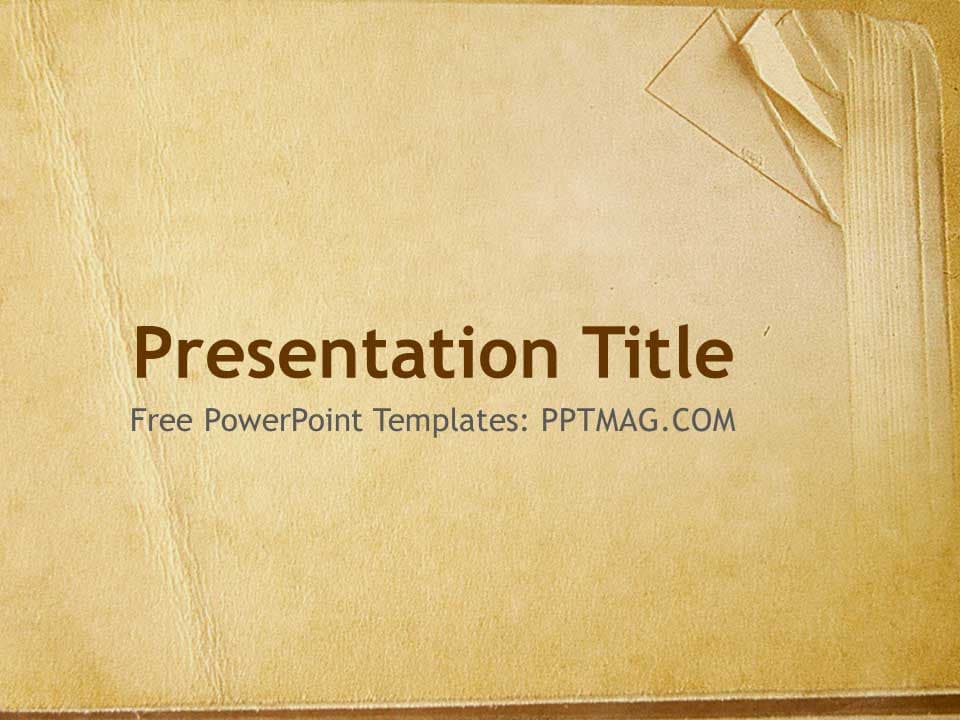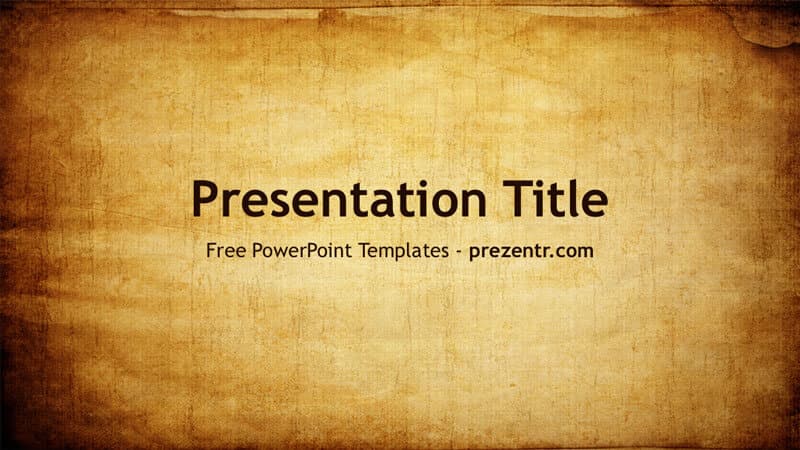
The Old Paper PowerPoint Template gives your slides the look of a weathered, sun-faded sheet of parchment, with warm golden tones in the middle and darker, burnt-looking edges. It is a free 2-slide design: a title slide and a matching content background, both in 16:9, plus the standard PowerPoint layouts built on the same texture. Use it when you want a vintage, storytelling feel without busy decorations getting in the way.
What's Inside
This is a background-style template, so it is quick to understand and easy to build on. The file contains:
- Title slide: the full aged paper texture with a large, dark brown "Presentation Title" placeholder in the center and a smaller subtitle line below. Perfect for your topic name, your name and a date.
- Content slide: the same old paper texture without text, ready for headings, bullet points, pictures, maps or charts.
- Standard layouts: the slide master includes the usual PowerPoint layouts, including Title Slide, Title and Content, Section Header, Two Content, Comparison, Title Only, Blank, Content with Caption and Picture with Caption. Any new slide you add keeps the parchment look.
That combination makes the old paper slides flexible. You can build a short 5-slide talk or a long 30-slide lecture, and every page will still look like part of the same aged document.
A tip for long decks: use the Section Header layout to split your presentation into chapters, such as "Early Years", "The Turning Point" and "Legacy". Because every layout shares the same texture, the chapter breaks feel natural, like turning to a new page in an old book.
Design and Style
The whole design is about texture. The background looks like an old, stained sheet of paper: light gold and tan in the center, fading to deep amber and brown around the edges, with fine scratches and creases across the surface. The top edge has a slightly torn, worn look, which adds to the antique feel.
Text is set in Trebuchet MS, a clean and readable sans serif, in a dark brown that sits naturally on the warm background. Because the center of each slide is lighter than the edges, your text has a natural "spotlight" area, which helps with readability.
There are no characters, icons or illustrations. The mood is calm, nostalgic and a little mysterious, like a page from an old journal, a treasure map or a historical letter.
Readability tip: textured backgrounds look great, but they can make small text harder to read. Keep body text at 20 points or larger, use bold for headings and avoid long paragraphs. If you need to show a lot of detail, place a semi-transparent light shape behind the text. Select the shape, open Format Shape and raise the transparency until the paper texture still shows through.
Who Is This Template For?
- History students and teachers presenting on ancient civilizations, explorers, wars or famous documents.
- Literature classes covering classic novels, poetry, myths or book reports.
- Storytellers and game masters who want a "quest scroll" look for a campaign intro or tabletop game night.
- Family historians sharing a family tree, old photos or a genealogy project at a reunion.
- Heritage and craft brands such as bakeries, coffee roasters or antique shops that want a handmade, traditional feel.
- Event planners designing a vintage-themed wedding, anniversary or retirement slideshow.
The design is also neutral enough for adults and kids alike. Unlike character-themed templates, there is nothing here that dates the slides or ties them to one audience, so the same old paper PowerPoint template can serve a primary school project and a university lecture. With no characters or trends to go out of date, you can reuse it for years.
How to Customize It
Everything in this old paper PPT template is editable in PowerPoint:
- Edit the text: click a placeholder and type. To change the font across the whole deck, go to Design, then Variants, then Fonts, and pick a pair. A serif or handwritten-style font can push the vintage look further.
- Add new slides: choose Home, then New Slide, and select any layout. The parchment texture comes along automatically.
- Insert and swap pictures: add images with Insert, then Pictures. To replace an image later, right-click it and use Change Picture. Old photos look great here; try a sepia or grayscale filter from Picture Format, then Color.
- Recolor text and shapes: stay with dark browns, deep reds or black for good contrast. Use the Eyedropper to pick a tone straight from the paper.
- Reorder slides: drag thumbnails in the left panel or use Slide Sorter view.
- Add motion: the template has no built-in animations, but a slow Fade transition or a Wipe effect on text fits the old document style.
Presentation Ideas
- The history of writing: from clay tablets to paper and printing
- A book report on a classic novel or a famous poem
- Explorers and the age of discovery, with old maps and routes
- Our family history: a timeline of grandparents, places and photos
- Pirate or treasure hunt party slideshow for kids
- The story of a family business, from its first shop to today
Images make or break a vintage deck. Look for old maps, engravings, black and white photos and hand-drawn illustrations, and try adding a thin dark brown border around each picture. Small details like a wax seal icon, a compass rose or a signature-style font for names can make the old paper look even more authentic, while the clean background keeps everything readable.
Related Templates
If you like the aged look, try the Old Book Paper PowerPoint Template, the Vintage PowerPoint Template or the plainer Paper PowerPoint Template. For a school talk, the History PowerPoint Template is a natural match. You can also browse all Education templates.
Frequently asked questions
- Is the Old Paper PowerPoint template free to download?
- Yes, it is completely free on Prezentr. Download the PPTX file and start editing right away.
- How many slides does the Old Paper template have?
- The file includes 2 slides: a title slide and a blank content slide with the same parchment texture. The slide master also has nine standard layouts, so you can add as many slides as you need.
- Does the Old Paper template work in Google Slides?
- It is built as a PowerPoint file and we have not confirmed Google Slides support. You can try importing the PPTX into Google Slides, but check the background and fonts after import.
- Can I change the font on the old paper slides?
- Yes. The template uses Trebuchet MS, and you can switch to any font you have installed, for example a serif font for a more classic look.
- Is it a good template for a history project at school?
- Yes, the aged parchment look suits history, literature and social studies topics, and the plain content background leaves plenty of room for text, maps and photos.