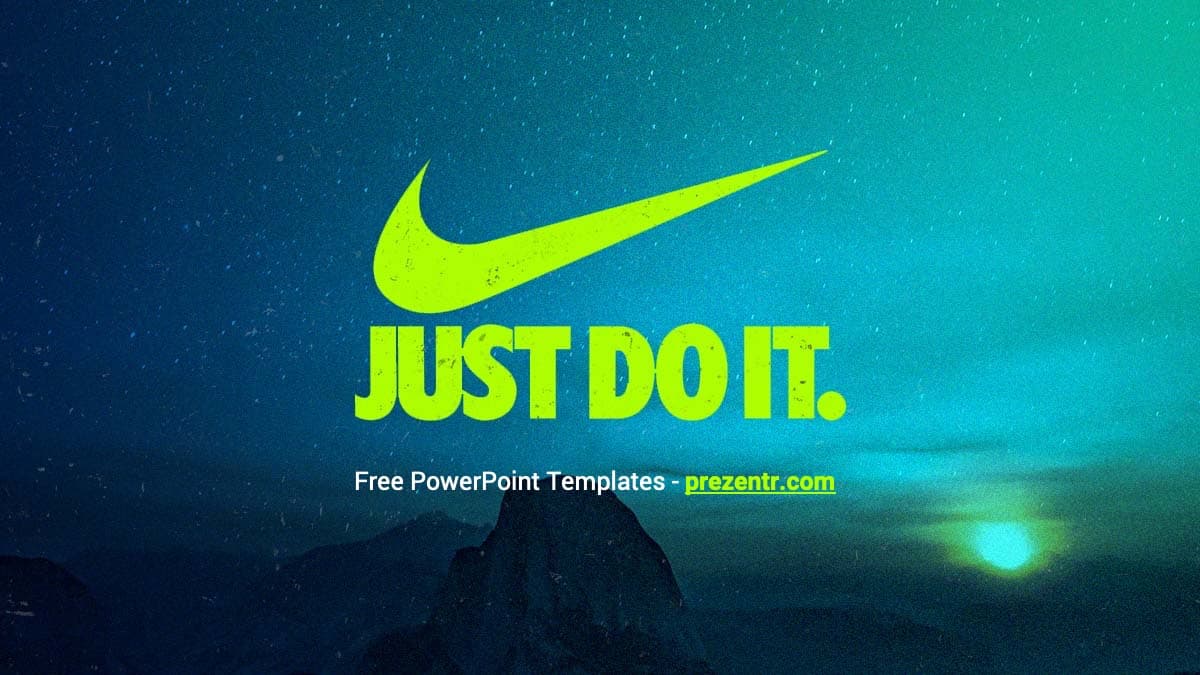
This free Nike PowerPoint template pairs the famous swoosh and "Just Do It" slogan in neon yellow-green with a moody night sky over a mountain ridge. It is a compact, 4-slide widescreen design with the standard layouts built into the master, so it is easy to grow into a full deck. Use it for sports projects, brand case studies or any talk that needs a bold, motivational start.
What's Inside
Instead of a long deck full of slides you will delete anyway, you get a small set of well-built pieces you can repeat as often as you need. The download is a PowerPoint template file (.potx). When you open it, PowerPoint creates a new, untitled presentation, so the original stays clean for next time. It includes four designed slides:
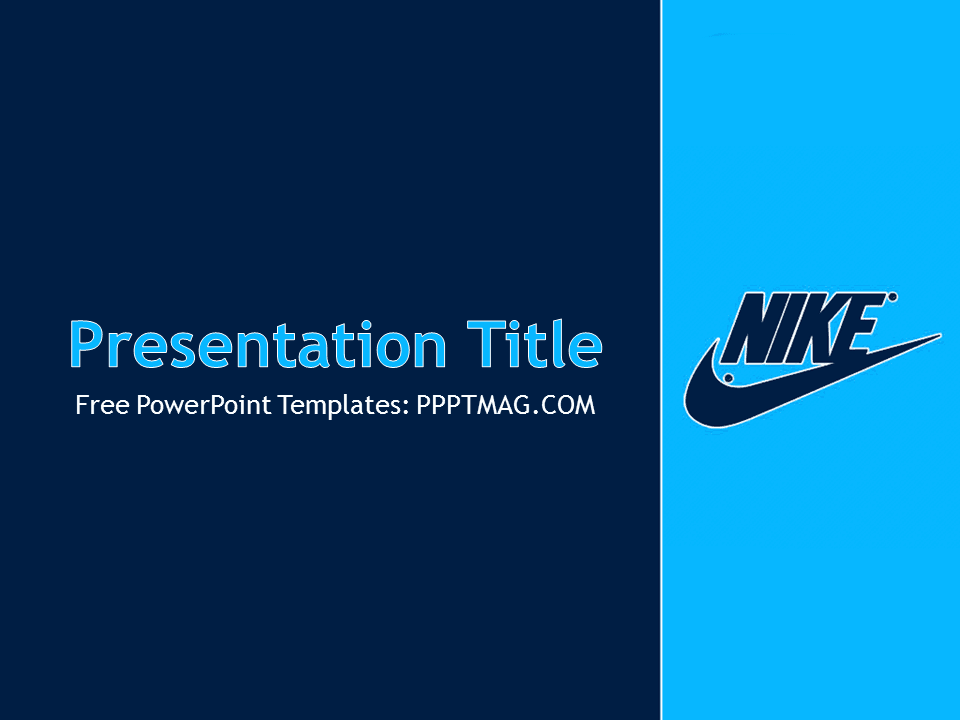
- Title slide: a full-bleed photo of a starry teal night sky with a dark mountain silhouette and a glowing light on the horizon. The swoosh and "JUST DO IT." sit in bright neon yellow-green, with a small line of text underneath for your subtitle.
- Content slide: a white workspace with a teal "Slide Title" heading and a bullet text area. On the right, a large curve reveals the night sky photo with a thin neon green edge, and the small swoosh and slogan sit in the bottom corner.
- Section title slide: the same curved frame, with a big teal section heading and a short subtitle line on the left. Use it to separate the chapters of your talk.
- Open layout slide: the curved frame with an empty white area, ready for photos, charts, product shots or a table.
Behind these slides, the master includes the usual PowerPoint layouts: Title Slide, Title and Content, Section Header, Two Content, Comparison, Title Only, Blank, Content with Caption and Picture with Caption. Click New Slide, pick any of them, and the design carries over automatically.
Design and Style
The Nike PPT template is built on strong contrast. The dark teal and blue night photo gives the title slide depth, while the neon yellow-green logo and slogan jump off the screen. Inside the deck, the content slides stay mostly white, which keeps text and charts easy to read, and the curved photo panel on the right repeats the same colors to tie everything together. Headings are set in teal, and the file suggests Roboto, a clean modern sans serif, for a sporty, no-nonsense look. The mood is energetic and focused rather than busy, so it works for both classroom and business settings. Because the logo stays small on the inner slides, your own content always takes center stage, and the title slide does the heavy lifting for brand recognition. This is a free, fan-made design inspired by the brand and is not affiliated with or endorsed by Nike.
Who Is This Template For?
The clean layout and sporty colors make it a flexible choice for many kinds of presenters:
- Business and marketing students writing a case study on Nike's branding, advertising or global strategy.
- PE teachers and coaches presenting training plans, season goals or motivational talks to a team.
- Sports clubs sharing results, schedules or fundraising plans with members and parents.
- Sneaker fans and collectors giving a talk on shoe history, design or collecting tips.
- Fitness trainers introducing a workout program, challenge or class to new clients.
- Marketing teams who want an athletic look for a campaign pitch or product launch internally.
How to Customize It
Editing the Nike PowerPoint template takes only a few steps, even if you rarely use PowerPoint:
- Install the font first: the content slide notes that Roboto was used. Download and install it so the headings look as intended.
- Replace the text: click into the title, subtitle and bullet placeholders and type your own content.
- Add more slides: go to Home, then New Slide, and choose a layout such as Two Content or Comparison. The curved frame and logo appear on each one.
- Change the background photo: the night sky image is part of the design. To swap it, open View, then Slide Master, select the layout, and replace the picture there.
- Insert images: use Insert, then Pictures, or right-click an existing image and choose Change Picture to keep its size and position.
- Adjust colors: select a heading and change the font color, or edit the theme colors under Design, then Variants.
- Reorder slides: drag thumbnails in the left panel, or right-click to duplicate or delete slides.
Google Slides: upload the file to Google Drive and open it with Google Slides. If the .potx is not accepted directly, open it in PowerPoint first and save it as a .pptx, then upload that copy. Text and images stay editable, and you can swap pictures with Replace image.
Presentation Ideas
- How Nike built one of the most recognized sports brands in the world: logo, slogan and athlete partnerships.
- The evolution of the running shoe, from early designs to modern performance sneakers.
- A marketing case study comparing Nike with another sportswear brand.
- Your team's season plan: goals, training schedule and key matches.
- A motivational talk on discipline and habits for students or athletes.
- Sustainability in sportswear: materials, recycling and what consumers can do.
To keep the deck feeling athletic, use action photos, short punchy headlines and one key number per slide. Because the Nike PowerPoint template is minimal at its core, it also works well as a general sports or fitness theme once you add your own photos and charts.
Related Templates
We also have a second Nike design, the Nike PowerPoint Template with a different background style. For a sportswear comparison, try the Adidas PowerPoint Template, and for athletes and court sports see the Michael Jordan PowerPoint Template and the Basketball PowerPoint Template. Find more logo-inspired designs in our brands and companies templates.
Frequently asked questions
- Is the Nike PowerPoint template free?
- Yes. It is free to download and use for presentations. It is a fan-made design inspired by the brand and is not an official Nike product.
- How many slides come with the Nike template?
- There are 4 designed slides: a title slide, a content slide, a section title and an open layout. The master also includes nine standard layouts you can add with New Slide.
- Can I use the Nike template in Google Slides?
- Yes. Upload it to Google Drive and open it with Google Slides. If the .potx file does not open directly, save it as a .pptx in PowerPoint first.
- What font does the Nike template use?
- The file notes that it uses Roboto, a free sans serif font. Install it before editing so the headings display correctly.
- Why does the file open as an untitled presentation?
- It is a .potx template file. PowerPoint opens a fresh copy each time, so your original template is never overwritten.
- Can I change the night sky background?
- Yes. Go to View, then Slide Master, select the layout with the photo, and replace the image there.
This is a fan-made template inspired by Nike PowerPoint Template. Prezentr is not affiliated with, endorsed by, or selling assets from Nike PowerPoint Template. All brand names, logos, and trademarks belong to their respective owners.