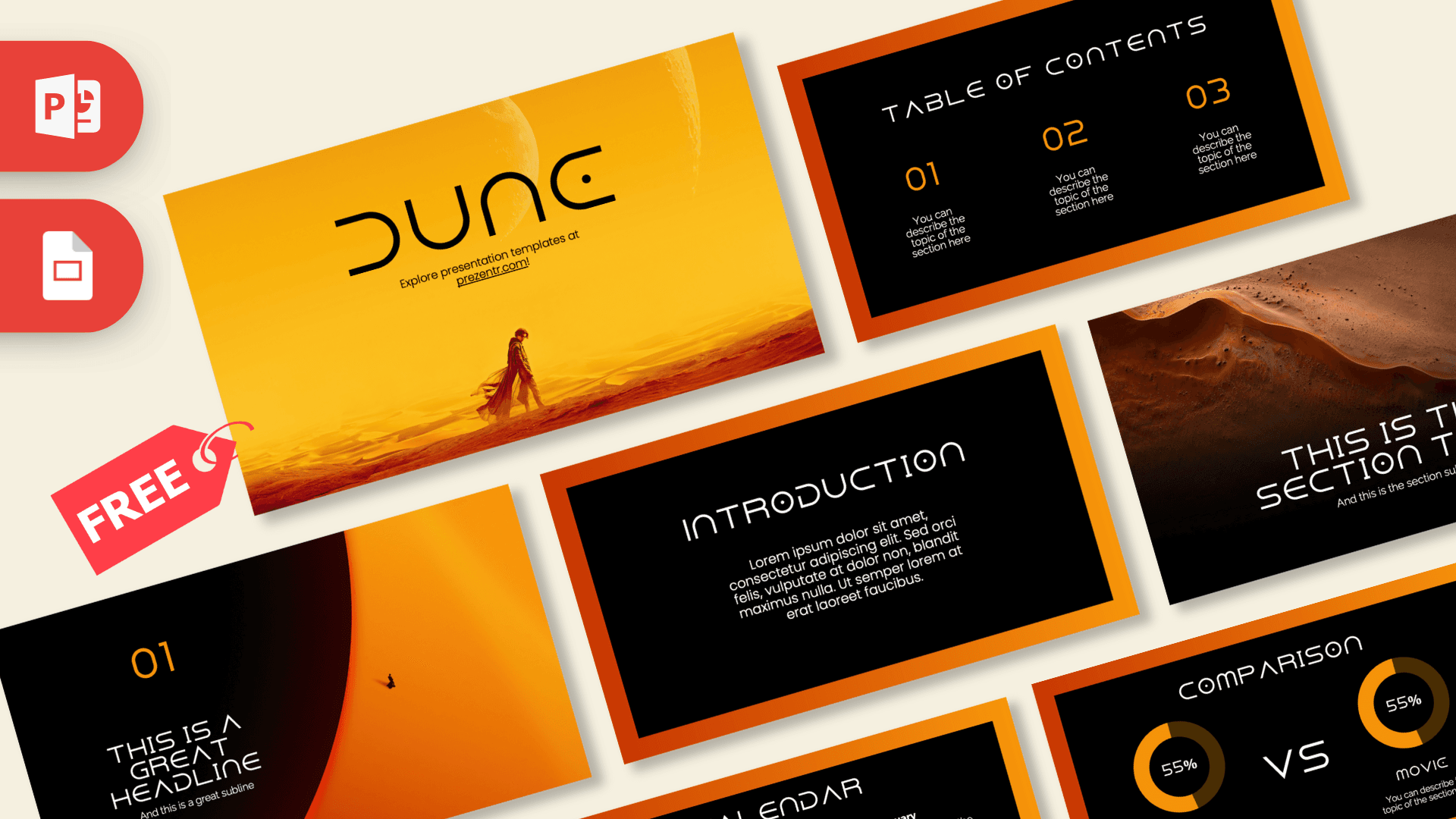
The Dune PowerPoint template is a free 10-slide deck built around the sandy gold, burnt orange and deep black of a desert world. It opens on a cloaked figure crossing golden dunes under two pale moons, then moves into dark content slides framed by a glowing orange gradient. It works in PowerPoint and Google Slides, and it gives any book report, film analysis or sci-fi themed talk an instant cinematic mood.
What's Inside
All 10 slides are designed and ready to edit. Each layout has a clear job, so you can build a full presentation without starting from a blank page:
- Slide 1, Title: a large "DUNE" wordmark set over a warm yellow and orange desert scene with a lone cloaked traveler and two moons in the sky. Swap the title for your own topic and keep the scenery.
- Slide 2, Table of Contents: three numbered sections (01, 02, 03) in orange on black, each with a short description line.
- Slide 3, Section title: an aerial photo of a rippling sand ridge that fades into black, with a wide headline and subtitle underneath. Use it to open each new chapter.
- Slide 4, Numbered headline: a big orange "01" with a headline and subline, set beside a huge glowing orange planet with a tiny silhouette on its edge.
- Slide 5, Introduction: a centered text block inside the orange frame, good for a summary, a plot overview or your main argument.
- Slide 6, Five Bullet Points: a title block plus five labeled points (One to Five), handy for characters, themes, factions or key facts.
- Slide 7, Quote: oversized orange quotation marks around a short statement. Use it for a line from your own research, a teacher's prompt or a key takeaway.
- Slide 8, Big number: a single large figure with an arrow and a caption, made for one statistic you want people to remember.
- Slide 9, Comparison: two donut charts side by side with "VS" between them, labeled Book and Movie in the sample. Perfect for comparing the novel with a film version, or any two options.
- Slide 10, Calendar: a monthly calendar grid with three highlighted dates and matching notes, useful for schedules, reading plans or project milestones.
Design and Style
The look is warm and dramatic. Most content slides use a solid black panel surrounded by a thick frame that shifts from red-orange to bright amber, which keeps text easy to read while the edges stay full of color. Orange is used for numbers, labels and chart segments, so your key information always stands out.
Headings are set in a wide, futuristic display font with geometric letter shapes that fits the science fiction theme, while body text uses a clean, simple sans serif. The photo slides lean on sand textures, dunes and a glowing planet rather than busy graphics. The result feels like a movie poster turned into a working deck: atmospheric, but still practical for real content. As a fan-inspired design, it is not an official Dune product.
The dark panels also help in practice: they project well in bright classrooms and keep orange highlights readable from the back of the room.
Who Is This Template For?
- Students writing a book report, literature essay or film review on Dune or other science fiction.
- Teachers who want an engaging deck for a unit on speculative fiction, world-building or adapting novels to film.
- Book clubs and fan groups planning a discussion night, a reading schedule or a watch party.
- Film and media classes comparing scenes, characters or themes between the book and the movie.
- Creatives and agencies pitching a bold, desert or space-themed concept that needs a strong mood.
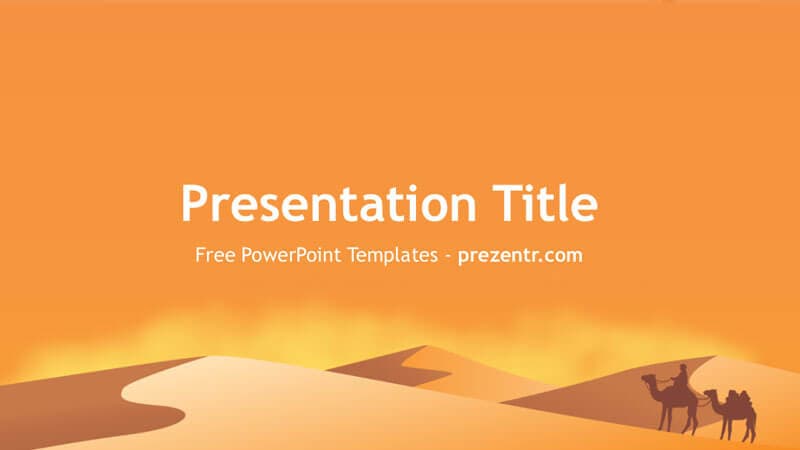
- Anyone presenting on deserts, planets or exploration who likes the sandy color palette.
How to Customize It
Every text box in this Dune PPT template is editable, and the layouts are simple enough to change in a few minutes.
- Replace the text: click any headline or placeholder and type. Keep headings short, since the display font is wide.
- Change the pictures: right-click a photo and choose Change Picture to drop in your own desert shots, book covers or stills you have the right to use. Crop with the Crop tool to keep the same framing.
- Edit the charts: the comparison donuts can be adjusted by changing the percentage text and the size of the orange arc. Update the Book and Movie labels to match your topic.
- Update the calendar: retype the dates for your month and move the highlight squares to your key days.
- Recolor: select a shape and use Shape Fill to swap the orange for another accent, or keep the palette for a consistent look.
- Reorder or duplicate: drag slides in the thumbnail panel, or right-click and choose Duplicate Slide to reuse a layout as often as you need.
To use the Dune Google Slides theme, open Google Drive, upload the downloaded file and open it with Google Slides. If the heading font is not available there, pick a similar wide sans serif from the font menu so the titles still fit.
Presentation Ideas
- Book versus movie: what changed when Dune moved from page to screen.
- World-building in science fiction, from desert planets to imagined cultures.
- A character guide to the main houses and figures in the story.
- How real deserts form, and how sand dunes move over time.
- Water scarcity and survival in extreme environments.
- A sci-fi movie night plan for a club, with schedule and voting results.
Tip: if you only need a short talk, the title, table of contents, comparison and quote slides are enough for a solid five-minute presentation.
Related Templates
Want more sci-fi and desert vibes? Try the Star Wars PowerPoint Template for another space saga, the Space PowerPoint Template for planets and stars, the Saturn PowerPoint Template for a ringed-planet look, or the Desert PowerPoint Template for sand and sunshine without the movie theme. You can also browse all movie and Netflix templates.
Frequently asked questions
- Is the Dune PowerPoint template free to download?
- Yes. The full 10-slide Dune deck is free on Prezentr. It is a fan-inspired design and is not affiliated with or endorsed by the Dune film or book rights holders.
- How many slides does the Dune template include?
- It has 10 slides: a title, table of contents, section title, numbered headline, introduction, five bullet points, quote, big number, a book versus movie comparison and a calendar.
- Can I open the Dune template in Google Slides?
- Yes. Upload the file to Google Drive and open it with Google Slides. If the futuristic heading font is missing, replace it with a similar wide sans serif.
- Can I change the desert photos?
- Yes. Right-click any picture in PowerPoint and choose Change Picture to replace it with your own image, then crop it to fit the same area.
- Is this Dune deck good for a book report?
- It works well for one. The table of contents, five bullet points and the Book versus Movie comparison slide map neatly onto a typical book report or film analysis.