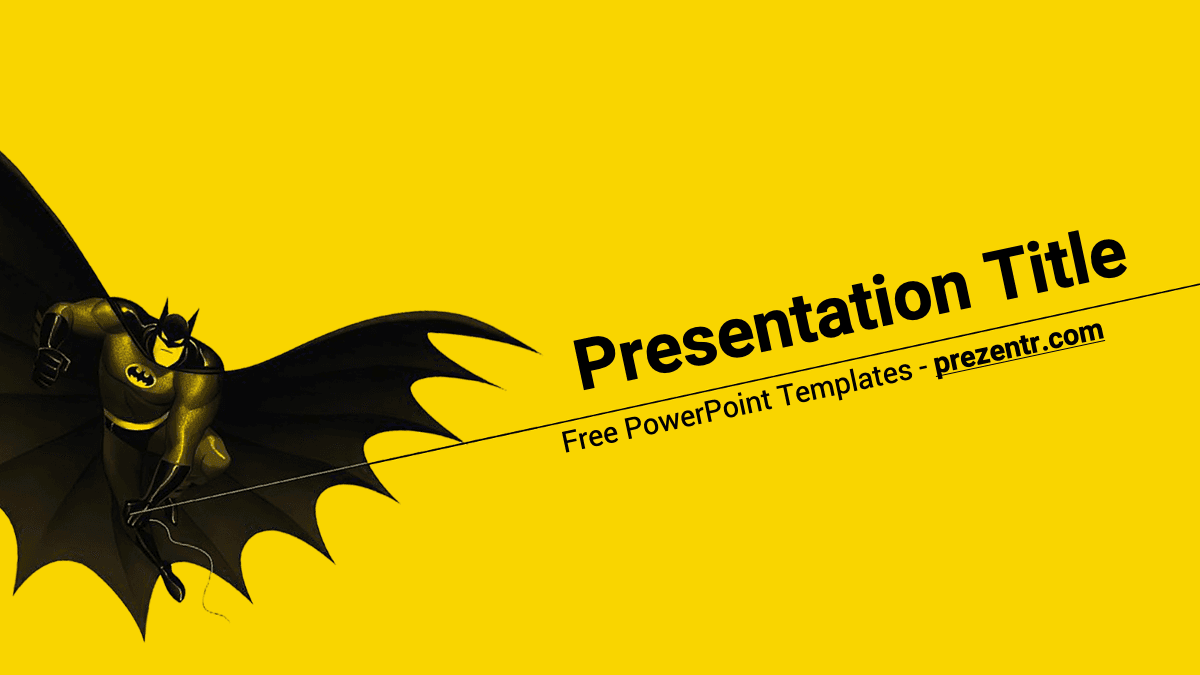
This free Batman PowerPoint template brings the Dark Knight into your slides with a classic comic-book color scheme: bright yellow and solid black, plus a cartoon Batman swooping across the screen with his cape spread wide. The design shown in the previews has 4 widescreen slides that cover a title, content, a section break and an open layout. It is a quick, fun way to give a school project, birthday party or superhero club talk a heroic look.
What's Inside
The template keeps things simple, so you can focus on your content and repeat the layouts as many times as you need:
- Title slide: a full yellow background with a cartoon Batman gliding in from the left, cape stretched out like wings. The "Presentation Title" heading and a subtitle line are set at a dynamic angle along a thin diagonal line, which gives the opener a sense of motion.
- Content slide: a clean white area with a bold black "Slide Title" heading and a bullet list. A yellow diagonal panel runs down the right edge, with a small Batman flying in the lower corner.
- Section title slide: a dramatic black diagonal panel over yellow, with the section heading in yellow and a short subtitle in white. Use it to split your talk into chapters.
- Open layout slide: a yellow slide with Batman in the top corner and another gliding Batman on the left, leaving open space for a photo, a big statement or a closing message.
Duplicate the content and section slides to build a longer deck. With four building blocks, you can easily create a 10 to 15 slide presentation that stays consistent from beginning to end. Since there are no busy backgrounds behind the text areas, charts, tables and photos fit in cleanly, and the yellow and black accents keep every slide recognizable as part of the same Gotham-inspired set.
Design and Style
Black and yellow are the colors most people connect with Batman, and this Batman PPT template leans into that combination. The yellow backgrounds feel bright and upbeat, while the black panels and the dark cartoon hero add contrast and a touch of drama. The illustrations have a classic animated look rather than a gritty movie style, which makes the deck friendly for kids and family events while still appealing to adult fans. The content slide notes that Roboto, a clean sans serif, was used for the text, so headings look modern and are easy to read from the back of a classroom. The angled shapes and diagonal lines echo comic book panels and keep the layout lively. This is a free fan-made design and is not affiliated with or endorsed by DC or Warner Bros.
Who Is This Template For?
The playful, high-contrast style works for many audiences:
- Kids and students presenting a book report, a favorite hero or a "what makes a hero" project.
- Teachers who want to add some superhero energy to lessons on reading, writing or character traits.
- Parents planning a Batman birthday party who need slides for an invitation, a party schedule or a photo slideshow.
- Comic book clubs and fan groups discussing characters, villains or favorite storylines.
- Team leaders and trainers who want a lighthearted "be the hero" theme for a motivational session.
- Bloggers and YouTubers making a quick visual summary of a film or comic review.
How to Customize It
Editing the Batman PowerPoint template is straightforward:
- Install Roboto: download the free font and install it before you start so the text displays as designed.
- Replace the placeholder text: click on "Presentation Title", "Slide Title" or "Section Title" and type your own words.
- Add new slides: use Home, then New Slide, or right-click a slide and choose Duplicate Slide to keep the same design.
- Insert your own images: add photos with Insert, then Pictures. To swap an existing image, right-click it and choose Change Picture so it keeps its place.
- Move or resize Batman: if the illustration covers your content, drag it to another corner or make it smaller. If you cannot select it, it may live in the slide master (View, then Slide Master).
- Tweak the colors: select a shape and change its fill. A darker gray or a deep blue also pairs well with the yellow if you want a variation.
- Add animations: the design is static, so use the Animations tab if you want Batman or your bullet points to fly in.
Google Slides: upload the file to Google Drive and open it with Google Slides. If a template file (.potx) is not accepted, open it in PowerPoint, save it as .pptx and upload that version. Text and pictures stay editable.
Presentation Ideas
- "My Favorite Superhero": a student presentation about Batman, his city and his allies.
- Heroes and villains: comparing classic characters and what makes each one memorable.
- The history of comic books, from early newspaper strips to modern graphic novels.
- A Batman-themed birthday party slideshow with photos, games and a party timeline.
- What makes a good leader? A lighthearted team workshop using superhero examples.
- A movie night or film club introduction with trivia questions for the audience.
If you are presenting to a young audience, add a short quiz at the end using duplicated content slides, and reveal the answers one by one. Short headlines and one idea per slide work best with this Batman PowerPoint template, so the yellow and black design stays bold and uncluttered.
Related Templates
Stay in the same universe with the DC PowerPoint Template, the Superman PowerPoint Template and the Joker PowerPoint Template. If you like superheroes in general, the Free Spiderman PowerPoint Template is another fun option. Browse more film and TV designs in our movies and Netflix templates.
Frequently asked questions
- Is this Batman template free to download?
- Yes, it is completely free for personal and school use. It is a fan-made design and is not an official DC or Warner Bros. product.
- How many slides does the Batman PowerPoint template have?
- The design in the previews has 4 slides: a title slide, a content slide, a section title and an open yellow layout. You can duplicate them to build a longer presentation.
- Can I open the Batman template in Google Slides?
- Yes. Upload the file to Google Drive and open it with Google Slides. If the .potx format is not accepted, save it as .pptx in PowerPoint first.
- Is the Batman template suitable for kids?
- Yes. The cartoon-style illustrations and bright yellow colors make it a good fit for school projects and children's birthday parties.
- Can I move or remove the Batman illustration?
- Yes. Select it and drag, resize or delete it. If it cannot be selected on the slide, edit it in View, then Slide Master.
- Which font should I install?
- The template uses Roboto, a free font. Install it before editing so the text appears as shown in the previews.