The Pokemon GO PowerPoint template is a free, animated 10-slide deck that works like a mini trainer's guide. It moves from a navy title slide with the Pokemon GO logo to slides on catching Pokemon, items and the Team GO Rocket leaders, with smooth Morph transitions that slide characters and text into place. Navy blue, soft sky tones and Poke Ball red-and-white set the look, and every text box can be rewritten.
What's Inside
Unlike many templates that ship with lorem ipsum, this deck already contains short guide-style text, so it doubles as a ready-made beginner's presentation. The 10 slides are:
- Title slide: the Pokemon GO logo centered on a deep navy background. Clean and bold, a strong opener for any talk.
- New Trainer?: a pale, sky-like background with a "Start Now" button and 3D characters including Pikachu around the heading. A friendly welcome slide.
- Catch Pokemon / Find your buddy: a navy text panel next to a photo of a hand holding a phone with the game's camera view open, plus a Poke Ball accent.
- Catch and Items transition pair: two linked slides that use Morph to swap between the catching topic and "Items for Your Adventure," which shows a PokeStop floating over a mountain landscape.
- Items for Your Adventure: explains spinning Photo Discs at PokeStops and Gyms to collect items.
- Team GO Rocket: a dark slide with three spotlighted villain characters and a paragraph introducing the group.
- Arlo, Cliff and Sierra: three character slides, one per Team GO Rocket leader, each with a short description. Morph carries the characters from one slide to the next, so the lineup feels like a slideshow of character cards.
- Thank You: a simple closing slide.
The order already tells a story, from welcome to gameplay to villains and a goodbye. You can present it almost as it is for a beginner's guide, or replace the text to make it about your own trainer journey, favorite Pokemon or local community.
Design and Style
The palette is built around navy and midnight blue, with a dark charcoal background for the Team GO Rocket section. Bright Poke Ball red and white, the yellow and blue logo and green landscape photos add color where it matters. Headings use a bold, rounded sans-serif that feels close to the game's own interface, and body text is set in a clean, readable sans-serif.
This is an animated deck. The file contains Morph transitions on several slides plus entrance animations, so characters, text panels and images glide between positions instead of simply cutting. The character slides are where this shines: as you click from Arlo to Cliff to Sierra, the figures move across the stage. Morph needs a recent version of PowerPoint (Microsoft 365 or PowerPoint 2019 and later) to play as intended.
The art mixes 3D Pokemon renders, game-style character art and real photos, which keeps the slides lively. A preview video of the template is also available on the template page, so you can see the animations before downloading.
The slides are full of pictures rather than empty placeholders, so the template looks finished from the start. If you need a plain text slide for extra notes, duplicate the Team GO Rocket or Arlo slide, delete the characters and keep the background.
Who Is This Template For?
Because the sample text is short and friendly, this Pokemon GO slides deck works especially well for younger presenters who need a ready structure.
- Kids and students who want to present their favorite game for show-and-tell or a "my hobby" assignment.
- Teachers using a game theme to explain maps, walking, or how a mobile app works.
- Community and club organizers planning a local Pokemon GO walk, raid meetup or community day.
- Parents putting together a Pokemon birthday party slideshow.
- Game and app fans who want a fun, animated look for a talk on mobile games or augmented reality.
How to Customize It
- Edit the text. Click into any heading or paragraph and type. The guide text is real, so you can keep what fits and rewrite the rest.
- Keep Morph working. Morph matches objects with the same name on neighboring slides. If you duplicate a slide to add a new character, keep the object names the same and change only the position or picture.
- Swap images. Right-click a character or photo and choose Change Picture to drop in your own screenshot or photo.
- Change timing. Open the Transitions tab to adjust Morph duration, or the Animations pane to tweak entrance effects.
- Reorder slides. Drag thumbnails in the left panel. Note that moving one slide of a Morph pair will change how the transition looks.
This Pokemon GO PowerPoint template is a PPTX file built for PowerPoint. Because the Morph transitions are a PowerPoint feature, this Pokemon GO PPT template is best presented from PowerPoint.
When you are done, save a copy as a PowerPoint Show (.ppsx) if you want the deck to open straight into presentation mode on another computer. Exporting to PDF also works for handouts, but remember that a PDF will not show the Morph transitions.
Presentation Ideas
- "How to start playing Pokemon GO," using the built-in guide slides as they are.
- A profile of Team GO Rocket and its leaders for a fan club meeting.
- A class talk on augmented reality, using the phone camera slide as your example.
- A neighborhood community day plan: meeting point, route, items to bring.
- A Pokemon-themed birthday party program with games and prizes.
- A "my favorite game" show-and-tell for primary school.
Tip: rehearse once in Slide Show mode before presenting. Morph looks best when you click at a steady pace, giving each character a moment to settle before you start talking about them.
Related Templates
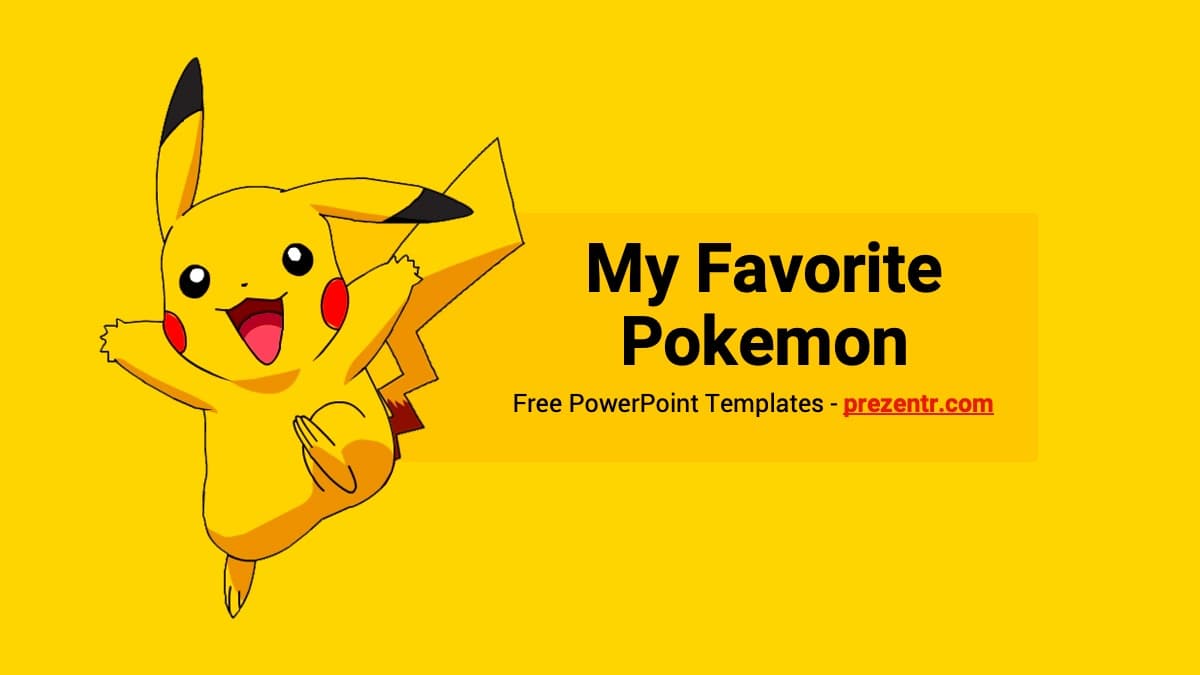
If you enjoy this Pokemon GO PowerPoint template, stay in the same world with the Pokemon PowerPoint Template or the Pikachu PowerPoint Template, or switch to other games with the Nintendo Switch PowerPoint Template and the Minecraft PowerPoint Template. For more moving slides, browse all animated templates.
Frequently asked questions
- Is the animated Pokemon GO template free?
- Yes, you can download it free from Prezentr. It is a fan-made template and is not affiliated with or endorsed by Niantic, Nintendo or The Pokemon Company.
- How many slides are in the Pokemon GO template?
- There are 10 slides: a logo title, a New Trainer welcome, catching and items slides, a Team GO Rocket intro, one slide each for Arlo, Cliff and Sierra, and a Thank You slide.
- What animations does the Pokemon GO template use?
- Several slides use PowerPoint's Morph transition, and some also have entrance animations, so characters and panels move smoothly between slides. Morph plays in Microsoft 365 and PowerPoint 2019 or later.
- Does it work in Google Slides?
- The template is built and offered as a PowerPoint file. Google Slides does not support Morph, so if you import it there the slides will open without those transitions.
- Can I change the characters and text?
- Yes. All text is editable, and you can right-click any character or photo and use Change Picture to replace it with your own image.
- Can kids use this template for a school project?
- Yes. The guide-style text is simple and family-friendly, which makes it a good starting point for a show-and-tell or hobby presentation.