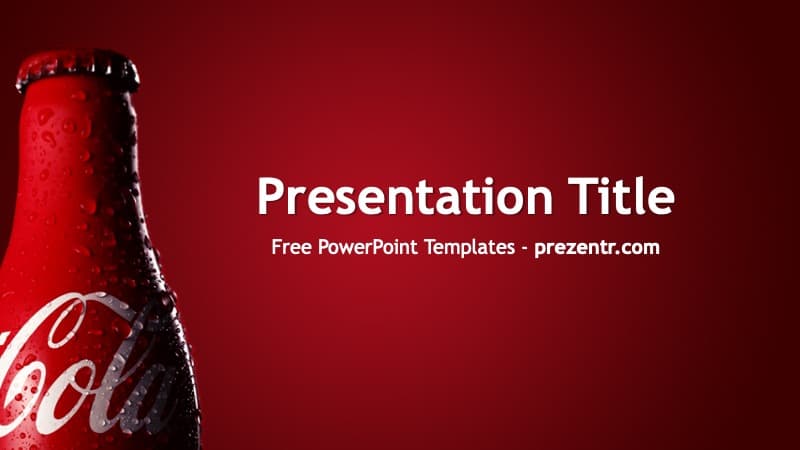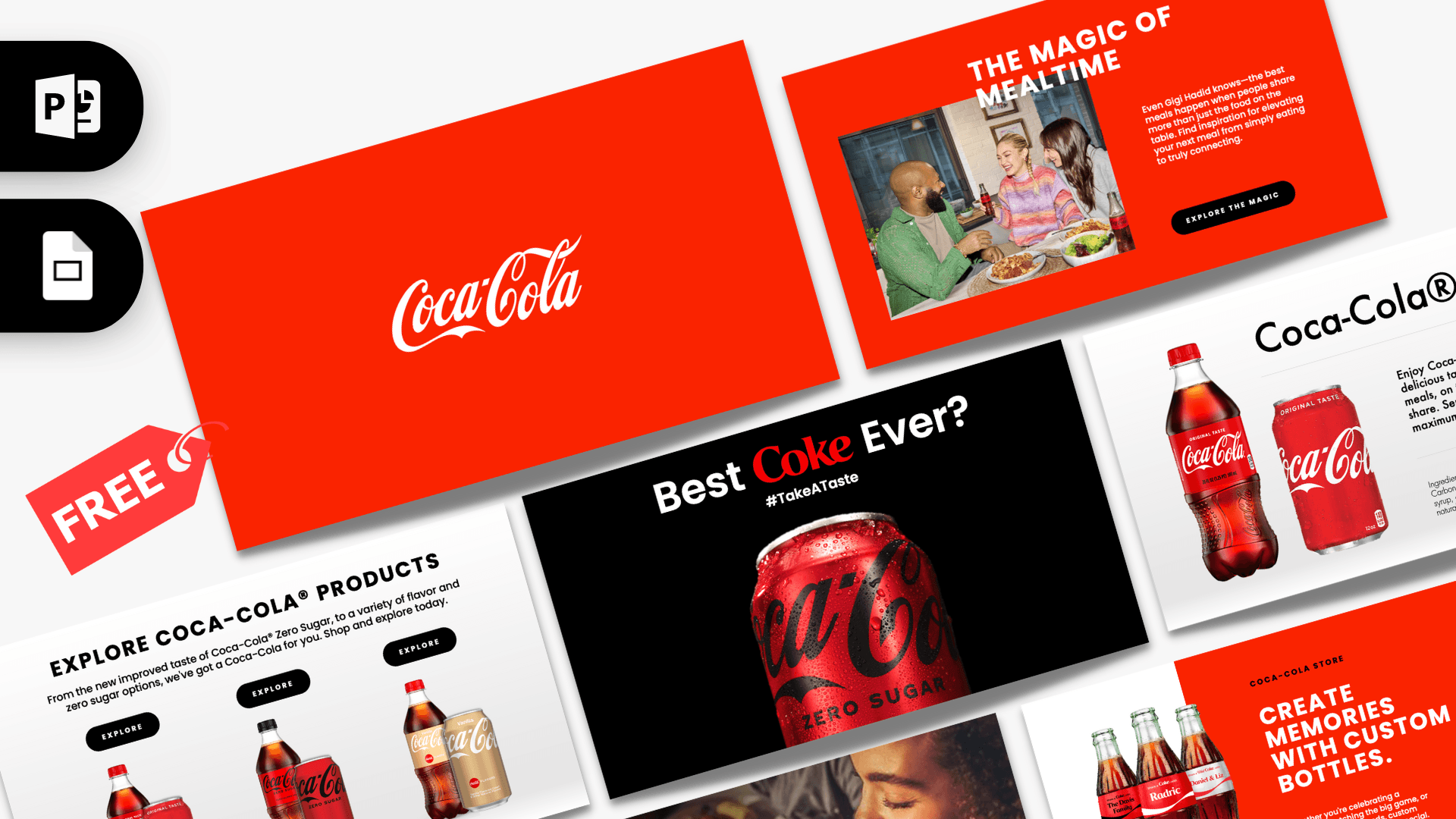
The animated Coca-Cola PowerPoint template is a free, fan-made 10-slide deck built around the brand's familiar red, white and black look, with product shots of bottles and cans and warm lifestyle photos around the dinner table. Nine of the ten slides use Morph transitions, so bottles, photos and headlines glide into place as you click through. It is a quick way to give a beverage, marketing or food and drink talk a polished, branded feel without building anything from scratch.
What's Inside
The deck has 10 slides in 16:9 widescreen. Here is what each one does and where it fits in a talk:
- Slide 1, logo opener: a full red background with the white script Coca-Cola logo in the center. A clean title card to show while people settle in.
- Slide 2, "The Magic of Mealtime": a red slide with a large photo of friends sharing a meal, a short paragraph and a black pill-shaped button. Good for an introduction or a story-led opening.
- Slide 3, full-bleed photo: a warm, dark photo of a woman drinking from a Coca-Cola glass, with a headline, a paragraph and a red button over the image. Use it for a mood statement or your key message.
- Slide 4, product lineup: a light gray slide with three bottle and can pairs (Original Taste, Zero Sugar and Vanilla), each under an "Explore" button. It works as an agenda, a three-option comparison or a product range overview.
- Slides 5 to 7, product details: one slide each for Coca-Cola, Coca-Cola Zero Sugar and Coca-Cola Vanilla, with a large bottle and can, a title, a description, an ingredients block and small thumbnails of the other products on the side. Morph moves the products between these slides, so they feel like flipping through a catalog.
- Slide 8, "Best Coke Ever?": a black slide with a close-up of a Zero Sugar can and a hashtag line. A strong pause slide for a big question or a campaign idea.
- Slide 9, custom bottles: three glass bottles with personalized name labels on a white panel, next to a red panel with a headline and copy. Handy for a call to action, an offer or a closing pitch.
- Slide 10, Thank You: a red closing slide with a white script "Thank You".
All text is sample copy written in the style of a product page, so you can type straight over it. The photos and product cutouts are regular pictures you can swap for your own.
Design and Style
The palette is short and recognizable: bright Coca-Cola red, clean white and light gray, and solid black for the contrast slide and the buttons. Headlines are set in bold uppercase Poppins with wide letter spacing, while product names and descriptions use Futura, which gives the deck a crisp, retail website feel. The logo and the closing "Thank You" use a flowing white script on red.
Rounded pill buttons echo an online store, and the bottles and cans are high-quality cutouts sitting on soft gray gradients. The lifestyle photos add warmth between the product slides, so the deck does not feel like a spec sheet. The overall mood is upbeat and commercial, closer to a product launch than a corporate report. Morph transitions do most of the motion work, and a few slides add entrance animations on top, so the movement feels connected rather than busy.
Who Is This Template For?
- Marketing and advertising students analyzing a global brand or building a mock campaign pitch.
- Business teachers who want a familiar brand to explain product lines, positioning or packaging.
- Cafe, restaurant and retail teams showing a drinks menu or a product range on a screen (keep in mind this is a fan-made design, not an official brand asset).
- Event planners pitching a party, game night or wedding drinks idea, using the custom bottle slide.
- Brand fans and content creators putting together a fun deck about soft drinks and advertising.
- Anyone learning Morph who wants a working example to take apart and study.
How to Customize It
- Open it in a Morph-capable version: Morph works in Microsoft 365 and in PowerPoint 2019 or newer. Older versions cannot play it the same way.
- Replace the text: click any headline or paragraph and type. Keep headlines short so they stay on one or two lines.
- Swap photos and products: right-click a picture, choose Change Picture and pick a file. For the product slides, transparent PNG cutouts look best on the gray background.
- Keep Morph smooth: Morph matches objects with the same name on neighboring slides. Using Change Picture instead of deleting and reinserting keeps the object's name, so the movement still works. You can check names in Home, Arrange, Selection Pane.
- Recolor: select a shape or button and use Shape Fill to switch the red to your own brand color.
- Add or remove products: duplicate a product detail slide with Ctrl+D, or delete and reorder slides in Slide Sorter view.
- Install the fonts: Poppins is free on Google Fonts. If Poppins or Futura is missing on your computer, PowerPoint will substitute another font and spacing may shift.
- Test it: press F5 and click through once to check timing before you present.
Presentation Ideas
- A case study on how a soft drink brand presents its range, from Original Taste to Zero Sugar.
- A school marketing project comparing sugar-free drinks and their packaging.
- A mock launch for a new flavor, using the product detail slide as the hero.
- A pitch for personalized bottles or labels at a wedding, birthday or company event.
- A talk about food, drink and sharing meals, built around the "Magic of Mealtime" slides.
- A Coca-Cola slides showcase for a class on visual branding and color.
Related Templates
If you want the same red theme in a simpler format, try the static Coca-Cola PowerPoint Template, or put the two colas side by side with the Pepsi Cola PowerPoint Template. For more food and drink brands with motion, see the Animated McDonald's PowerPoint Template and the Starbucks PowerPoint Template. You can find more decks with Morph and animation on our animated templates page.
Frequently asked questions
- Is the animated Coca-Cola PowerPoint template free?
- Yes, it is free to download on Prezentr. It is a fan-made design inspired by the brand and is not official or endorsed by The Coca-Cola Company.
- How many slides does the animated Coca-Cola deck have?
- It has 10 slides in 16:9: a logo opener, two mealtime photo slides, a product lineup, three product detail slides, a campaign slide, a custom bottle slide and a Thank You slide.
- What kind of animation does it use?
- Nine of the ten slides use Morph transitions, and a few slides also have entrance animations. You need Microsoft 365 or PowerPoint 2019 or newer to see Morph as intended.
- Can I open it in Google Slides?
- This version is made for PowerPoint. You can upload the PPTX to Google Slides, but Google Slides does not support Morph, so the motion between slides will be lost.
- Can I replace the bottles and photos with my own products?
- Yes. Right-click any picture and choose Change Picture. This keeps the object's name, so the Morph movement between slides keeps working.
- How do I download the file?
- Click the download button on this page. You get a ZIP file; unzip it to find the PPTX and open it in PowerPoint.
This is a fan-made template inspired by Animated Coca-Cola PowerPoint Template. Prezentr is not affiliated with, endorsed by, or selling assets from Animated Coca-Cola PowerPoint Template. All brand names, logos, and trademarks belong to their respective owners.